Qwen Image 3.0 Review (2026): Is It the Best AI Image Generator for Text Rendering and Commercial Design?
For context on another model in the family, explore the Qwen Image 2.1 capabilities and availability and its visual guide to reference-based editing. Those showcase examples explain different workflows and are not part of this review’s tests.
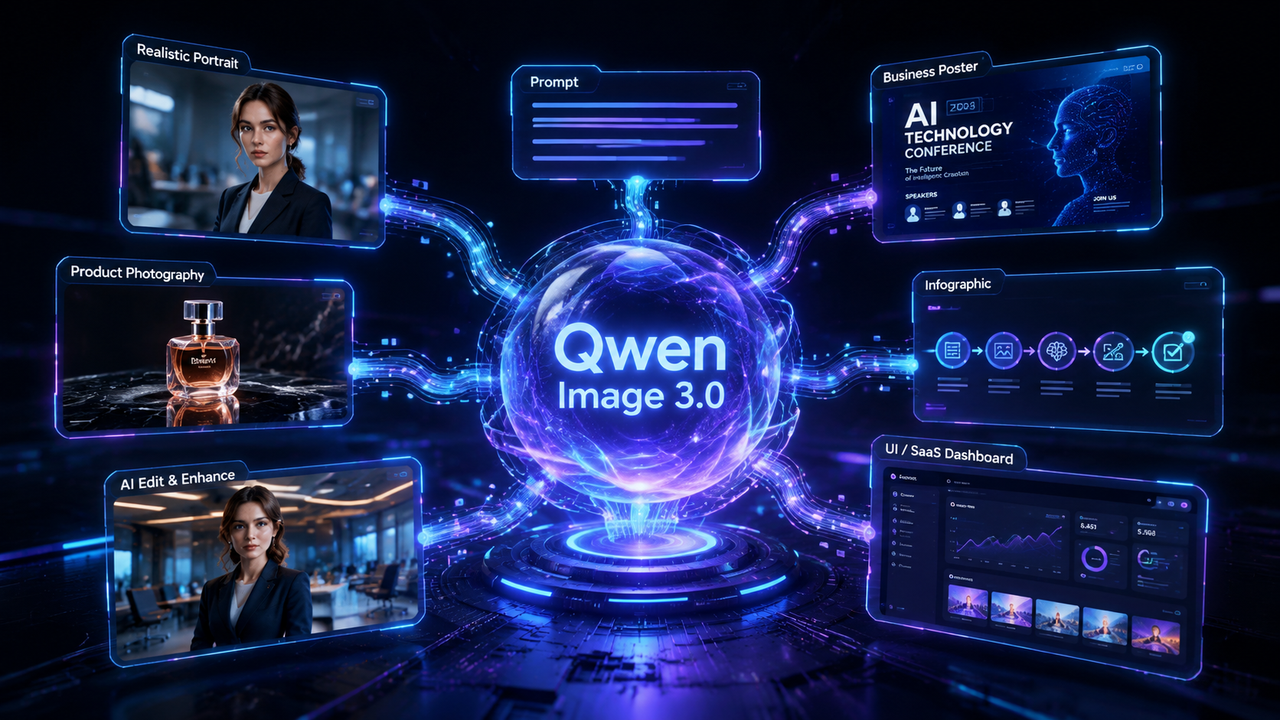
Qwen Image 3.0 Review
Quick Answer
Qwen Image 3.0 is a productivity-focused AI image generator designed for creating high-quality visuals, structured layouts, readable text, and practical image edits. Its biggest strengths are long prompt understanding, dense text generation, commercial design workflows, and flexible image editing.
Unlike traditional AI image generators that mainly focus on artistic creativity, Qwen Image 3.0 is designed around real-world content creation. It is especially useful for marketing graphics, posters, presentation visuals, UI concepts, product advertisements, infographics, and other business-oriented designs.
For users who need AI-generated images that communicate information clearly—not just visually impressive artwork—Qwen Image 3.0 offers a more practical workflow.
Quick Verdict
点击图片可查看完整电子表格
Pros
Cons
Who Should Use Qwen Image 3.0?
Qwen Image 3.0 is not only designed for AI artists. Its strongest value comes from helping users create practical visual content for real workflows.
It is particularly suitable for:
Designers
Designers can use Qwen Image 3.0 to quickly generate:
Instead of starting from an empty canvas, designers can use AI-generated concepts as creative references.
Marketing Teams
Marketing professionals can use Qwen Image 3.0 for:
The model's ability to combine images with structured layouts makes it useful for creating communication-focused graphics.
Content Creators
Creators can use it for:
The ability to describe ideas using natural language makes the workflow accessible even without professional design skills.
Businesses and Startups
For startups, Qwen Image 3.0 can accelerate:
It can reduce the time needed to turn ideas into visual concepts.
What Is Qwen Image 3.0?
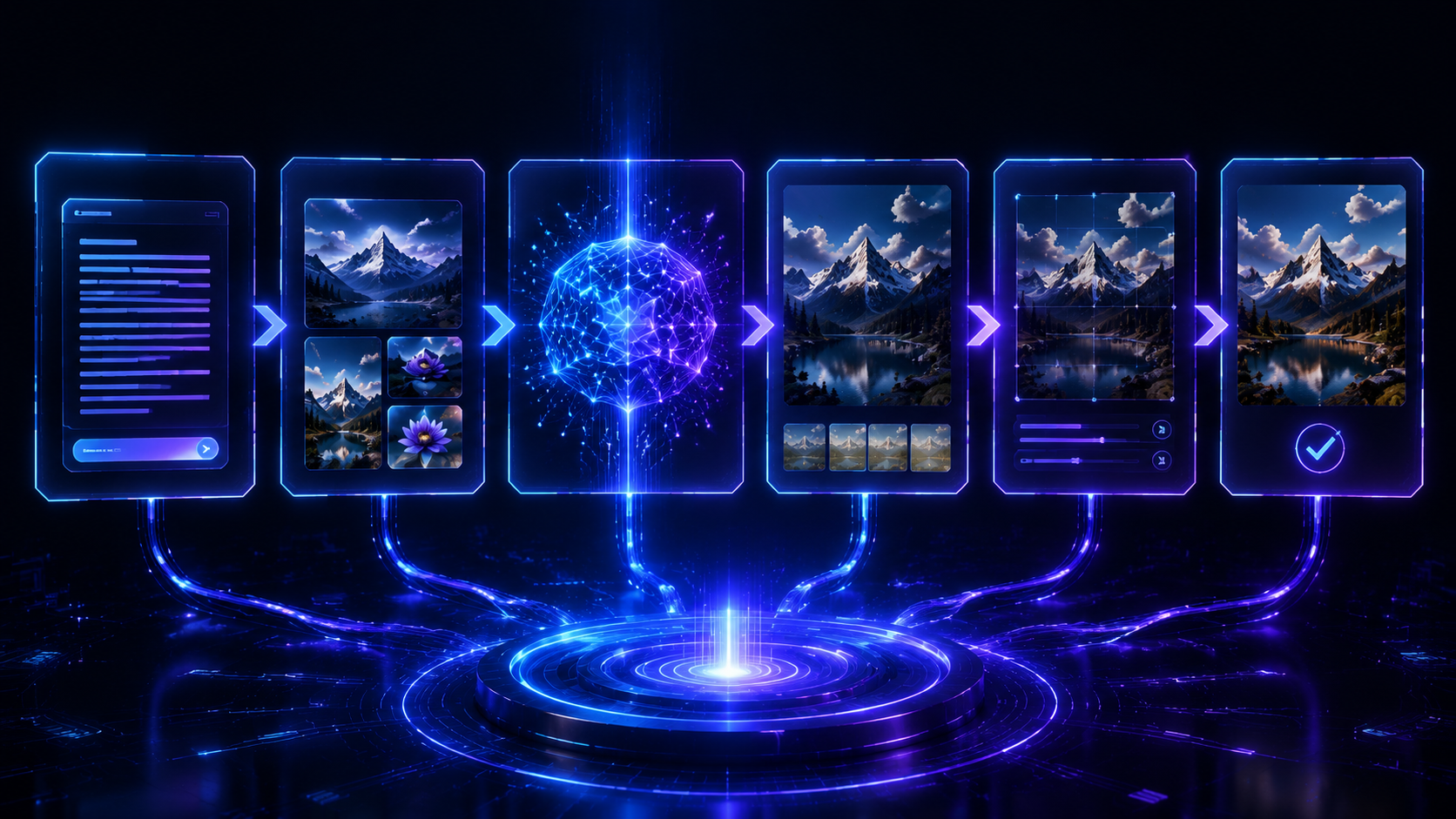
Qwen Image 3.0 is Alibaba's latest AI image generation model within the Qwen AI ecosystem. It is designed to create and edit images using natural language instructions, allowing users to describe their ideas instead of manually designing every element.
The model represents a shift from traditional AI image generation toward more practical visual production workflows.
While earlier image generators mainly focused on producing visually attractive artwork, Qwen Image 3.0 emphasizes several capabilities that are important for professional use:
This makes the model particularly interesting for users who need AI-generated visuals that are closer to real design requirements.
Beyond Traditional AI Art Generation
Many AI image tools are excellent at creating:
However, professional users often need something different.
They need visuals that include:
Qwen Image 3.0 focuses on these practical scenarios.
Instead of asking:
"Can AI create a beautiful image?"
the more important question becomes:
"Can AI create a useful visual asset that saves design time?"
This is the area where Qwen Image 3.0 attempts to differentiate itself.
Qwen Image 3.0 Features and Capabilities
1. Long Prompt Understanding
One of the most important improvements in modern AI image generation is the ability to understand detailed instructions.
Many earlier models perform well with simple prompts but lose important information when prompts become longer.
For example, a complex request may include:
Qwen Image 3.0 is designed to handle these multi-layered instructions more effectively.
A creator can describe an entire visual concept in natural language instead of manually controlling dozens of settings.
Example Prompt
A premium technology conference poster with a futuristic blue interface, professional typography layout, clean spacing, modern business style, and cinematic lighting.
The model can interpret the relationship between these different elements and generate a more organized result.
2. Advanced Text Rendering
Text generation inside images has historically been one of the biggest challenges for AI image models.
Common problems include:
Qwen Image 3.0 places significant emphasis on improving text-related generation.
This makes it more suitable for:
For example, a business may need:
These tasks require both visual quality and information organization.
Although generated text should still be checked before final publication, improved typography understanding makes the workflow significantly more practical.
3. Multilingual Image Generation
Modern businesses often create content for international audiences.
A limitation of many AI image systems is that they perform better with English text than with other languages.
Qwen Image 3.0 is designed to support multilingual visual generation, making it more useful for:
This capability is especially valuable for businesses operating across different regions.
4. Image Editing Capability
AI image editing is becoming one of the most important creative workflows.
Instead of generating a completely new image, users can start with an existing image and describe the desired changes.
Typical editing tasks include:
For example:
Replace the office background with a modern conference room while preserving the person's face, clothing, and natural appearance.
A useful editing model should understand:
This selective editing workflow makes AI more practical for professional use.
5. Structured Layout Generation
Many real-world visuals are not simple images.
They require organization.
Examples include:
These designs require:
Qwen Image 3.0 focuses on generating these information-rich layouts, making it suitable for business and creative workflows.
6. Commercial Design Workflow
A major difference between artistic AI generators and productivity-focused models is the target user.
Qwen Image 3.0 is particularly suitable for commercial scenarios such as:
Marketing Design
Product Design
Digital Product Design
Education
These use cases highlight the model's focus on practical visual communication.
Practical Workflow Evaluation
Feature descriptions can show what an AI image model is designed to do, but real-world workflows reveal where it actually provides value.
Instead of focusing only on artistic examples, this evaluation examines several practical scenarios that represent how creators, designers, marketers, and businesses commonly use AI image generation.
The goal is not to claim a standardized benchmark result, but to analyze how Qwen Image 3.0's publicly demonstrated capabilities and workflow design fit real creative tasks.
Test 1: Professional Portrait Generation
Prompt Example
A professional business portrait of a confident young woman wearing a navy blazer, standing inside a modern office with large windows, natural morning light, realistic skin texture, 85mm photography, shallow depth of field, editorial style.

Workflow Analysis
Portrait generation is one of the most common AI image use cases because users expect realistic facial details, natural lighting, and professional composition.
Qwen Image 3.0 demonstrates strong understanding of portrait-related instructions.
The model can interpret multiple visual requirements at the same time:
Instead of producing a generic portrait, the workflow focuses on combining subject, environment, and photography characteristics into one coherent image.
Strengths
Natural Composition
The model is capable of understanding relationships between:
This helps create portraits that feel more like professional photography rather than simple AI-generated images.
Strong Style Following
Photography-related descriptions such as:
can significantly influence the final visual direction.
Best Use Cases
Qwen Image 3.0 portrait generation works well for:
Limitation
Highly detailed accessories, complex hairstyles, or very specific identity requirements may still require additional refinement.
Test 2: Luxury Product Photography
Prompt Example
Luxury perfume bottle placed on polished black marble with dramatic studio lighting, cinematic reflections, premium cosmetic advertisement, ultra realistic commercial photography.

Workflow Analysis
Product photography is one of the most commercially valuable AI image generation scenarios.
A useful product image requires more than generating an object. It requires understanding:
Qwen Image 3.0 performs well in these areas by creating visuals that align with commercial advertising styles.
Strengths
Material Understanding
The model can create convincing representations of:
Advertising Composition
The generated images can follow common commercial photography principles:
Best Use Cases
Suitable for:
Limitation
Very small product details, tiny labels, or complex transparent structures may still need manual adjustment.
Test 3: Text-Heavy Poster Generation
Prompt Example
Design a modern AI technology conference poster with a large title, event schedule, speaker information, registration details, icons, clean blue and white layout, minimalist business style.

Workflow Analysis
This is one of the areas where Qwen Image 3.0 receives the most attention.
Traditional AI image generators often struggle when images require:
A poster is not just an image—it is a visual communication system.
Qwen Image 3.0 focuses on improving this type of workflow.
Strengths
Better Typography Structure
The model is designed to better understand:
More Practical Business Graphics
Compared with purely artistic image generation, this workflow is more suitable for:
Limitation
Even with improved text generation, users should always review generated text before using images commercially.
Professional publishing workflows should still include final proofreading.
Test 4: Business Infographic Generation
Prompt Example
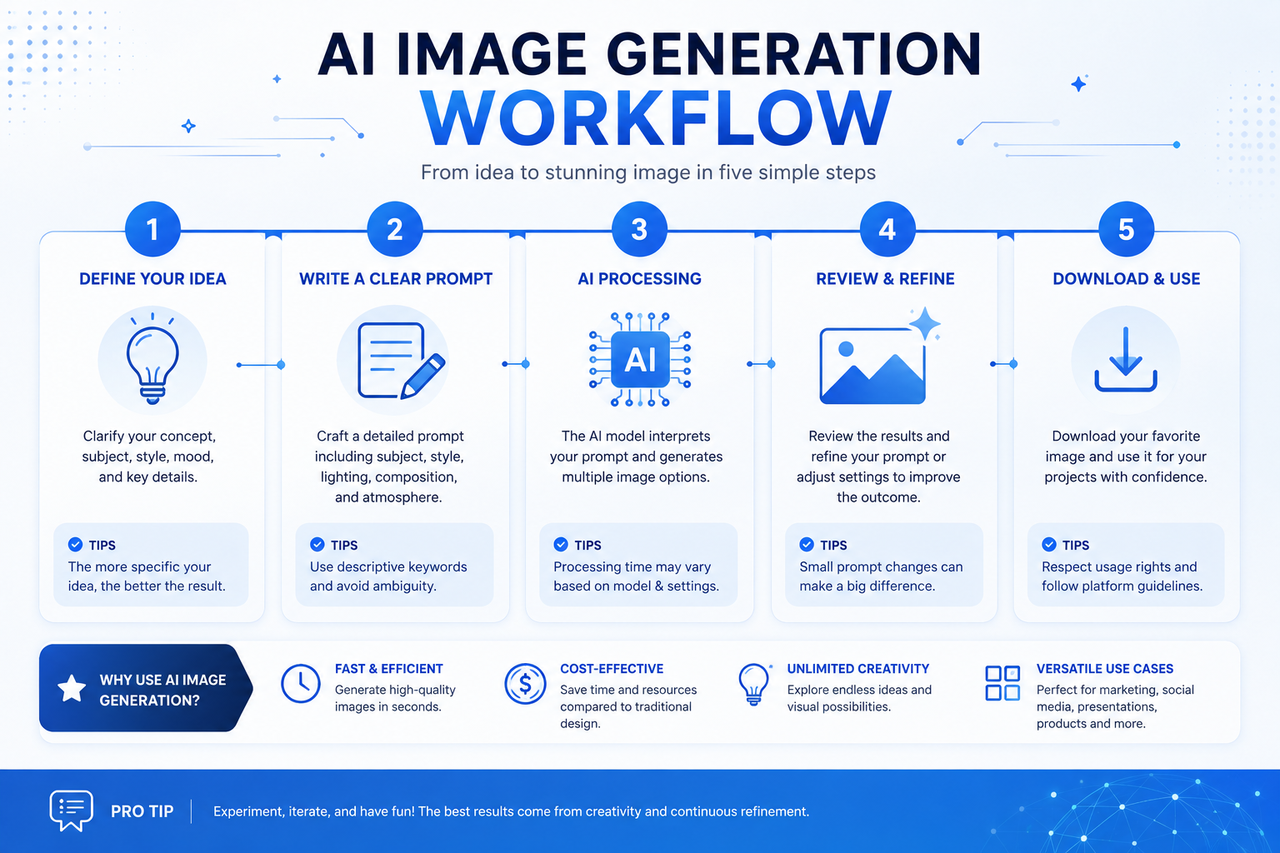
Create a modern infographic explaining an AI image generation workflow with five connected steps, clean icons, blue gradient, business presentation style, professional layout.
Workflow Analysis
Infographics are challenging because they require both creativity and organization.
A successful infographic needs:
Qwen Image 3.0 is designed for these information-rich layouts.
Strengths
Strong Visual Organization
The model can create designs with:
Suitable for Educational Content
Good use cases include:
Limitation
Highly technical diagrams, precise charts, and professional data visualization may still require dedicated tools.
For example:
remain better choices for production-level diagrams.
Test 5: AI SaaS Dashboard Design
Prompt Example
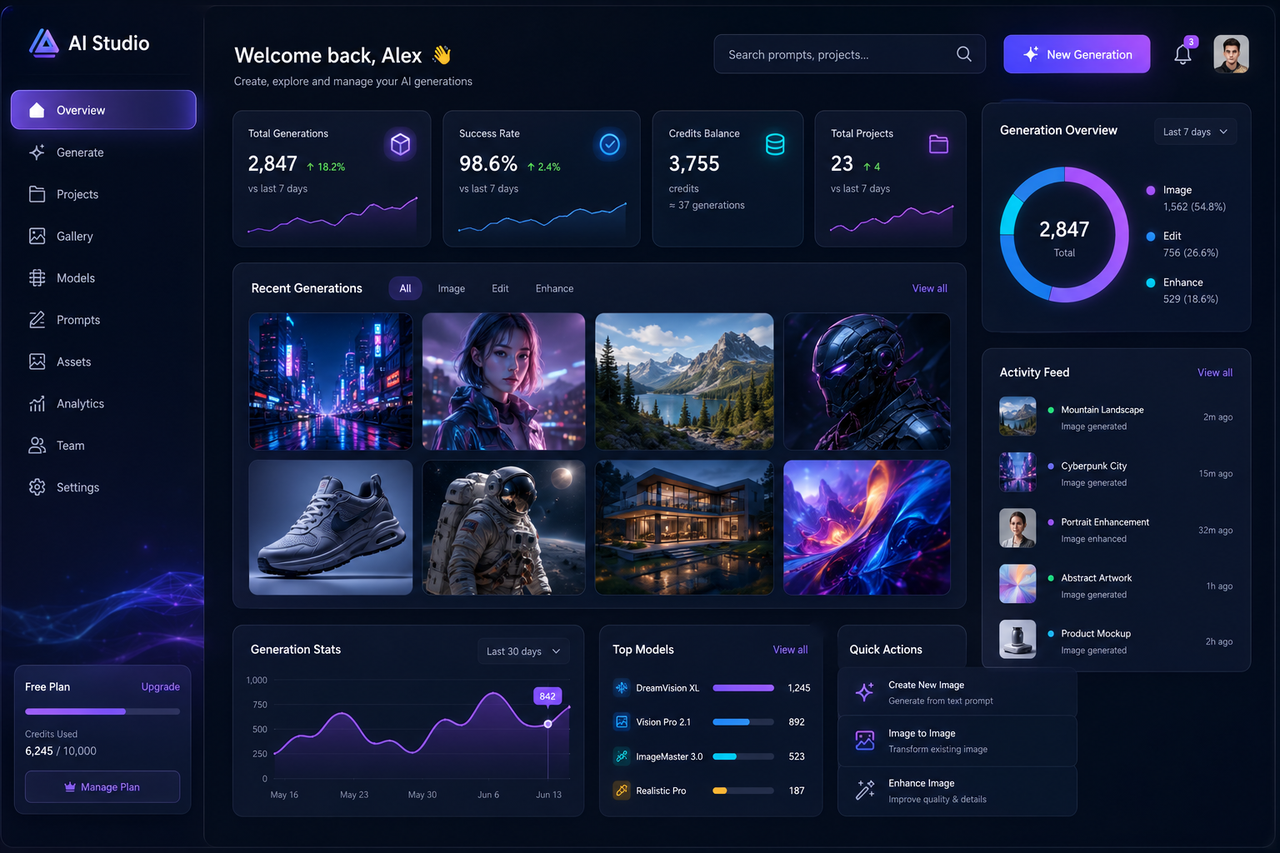
Modern AI SaaS dashboard with left navigation, analytics cards, image gallery, statistics panel, glassmorphism interface, dark theme, blue and purple lighting, premium startup design.
Workflow Analysis
UI concept generation has become a popular application for AI image models.
Designers often use AI to quickly explore:
Qwen Image 3.0 performs well when generating modern SaaS-style visuals.
Strengths
Modern Interface Understanding
The model can generate concepts containing:
Strong Design Consistency
The overall interface often maintains:
Best Use Cases
Useful for:
Limitation
Generated UI images are concept designs, not actual working interfaces.
Developers should recreate final products using professional design systems.
Test 6: AI Image Editing
Prompt Example
Replace the office background with a modern conference room while preserving the person's face, hairstyle, clothing, pose, and natural skin tone. Improve lighting and enhance color balance.
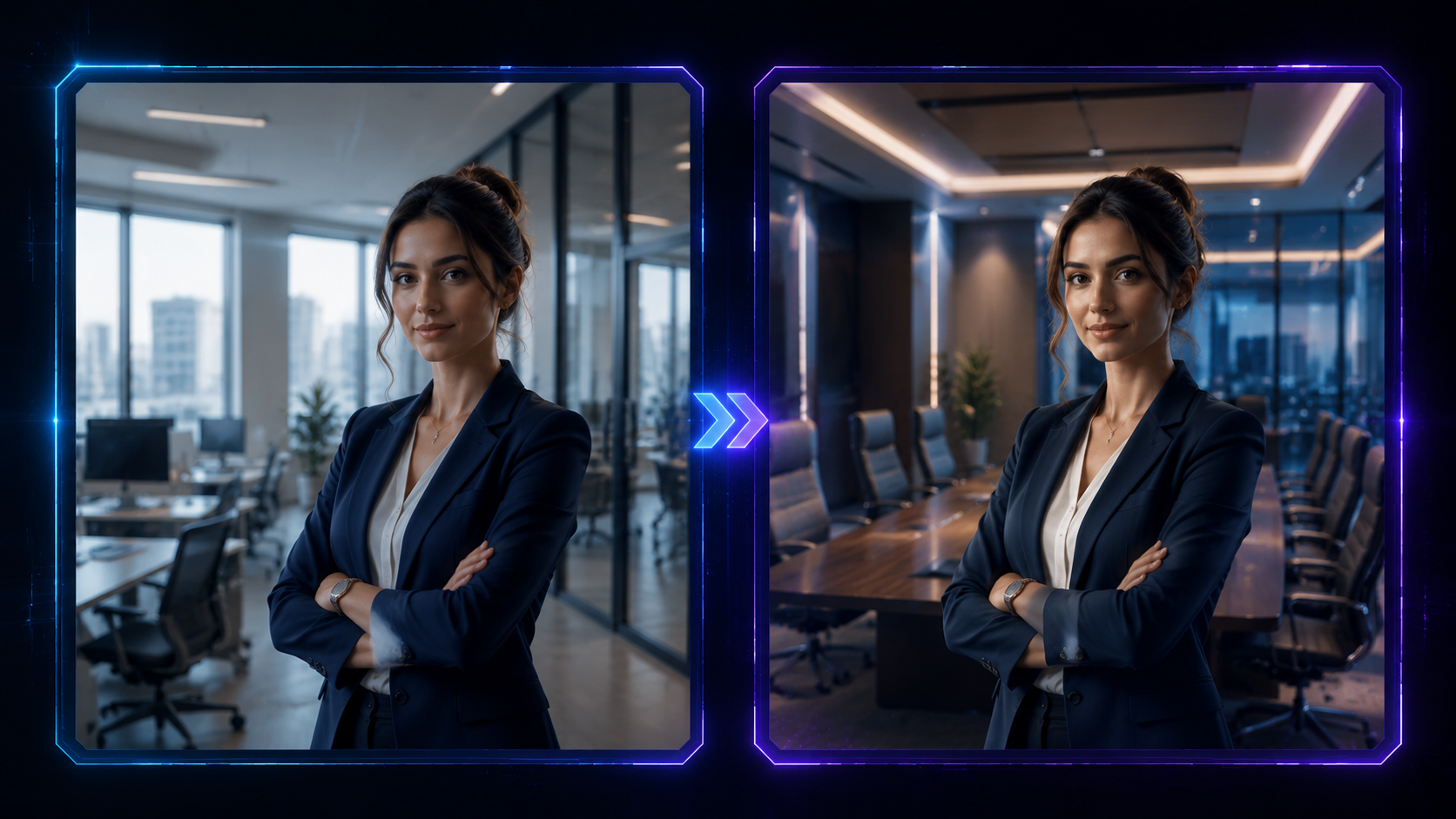
Workflow Analysis
Image editing represents one of the most practical directions for AI creativity.
Instead of generating a completely new image, users can start from existing content and describe the desired changes.
Common workflows include:
Strengths
Preserving Important Elements
A good editing workflow should understand:
What should change:
What should remain:
Practical Creative Workflow
This makes AI editing useful for:
Limitation
Complex edits involving multiple objects, multiple people, or highly specific changes may still require additional iterations.
Image Quality Analysis
Based on these workflow scenarios, Qwen Image 3.0's strongest advantage is not simply producing attractive images.
Its main strength is creating visuals that are closer to practical design assets.
Where Qwen Image 3.0 Performs Strongly
1. Structured Visual Communication
The model is particularly strong when images need to communicate information.
Examples:
2. Commercial Design
Qwen Image 3.0 is well aligned with business-focused creative tasks.
Examples:
3. Detailed Prompt Following
The model handles prompts containing multiple requirements more effectively than many earlier generation systems.
Qwen Image 3.0 vs Qwen Image 2.0
Understanding the difference between Qwen Image 3.0 and previous versions helps explain why the latest model matters.
| Feature | Qwen Image 3.0 | Qwen Image 2.0 |
|---|---|---|
| Prompt Understanding | Improved | Good |
| Text Rendering | Stronger | More Limited |
| Complex Layouts | Better | Basic |
| Image Editing | Enhanced | Available |
| Commercial Design | More Optimized | General Purpose |
| Multilingual Content | Improved | More Limited |
点击图片可查看完整电子表格
Key Improvements
Better Text Generation
One of the biggest improvements is handling text-heavy images.
Qwen Image 3.0 is designed for:
More Practical Editing
Image editing becomes a more important part of the workflow, allowing users to refine existing images instead of starting over.
Stronger Business Applications
The model moves closer toward professional creative workflows rather than only artistic experimentation.
Qwen Image 3.0 vs Qwen Image 2.0: Which Should You Choose?
Choose Qwen Image 3.0 if you need:
Qwen Image 2.0 remains useful for general image generation, but Qwen Image 3.0 is better positioned for users who need AI-generated visuals for practical projects.
Qwen Image 3.0 vs Other AI Image Models

Choosing the right AI image generator depends largely on what type of content you want to create.
Different models have different strengths. Some focus on artistic creativity, some prioritize photorealism, while others focus on commercial workflows and productivity.
Qwen Image 3.0's biggest advantage is its balance between visual quality and practical design capability.
Qwen Image 3.0 vs GPT Image
| Feature | Qwen Image 3.0 | GPT Image |
|---|---|---|
| Image Quality | Excellent | Excellent |
| Prompt Understanding | Excellent | Excellent |
| Text Rendering | Outstanding | Very Good |
| Image Editing | Very Good | Excellent |
| UI Concept Design | Excellent | Very Good |
| Commercial Graphics | Excellent | Very Good |
| Creative Exploration | Very Good | Excellent |
| Chat Integration | Limited | Excellent |
点击图片可查看完整电子表格
Choose Qwen Image 3.0 If You Need:
Text-Heavy Graphics
Qwen Image 3.0 is particularly suitable for:
Its focus on structured layouts gives it an advantage for information-rich visuals.
Commercial Design
For marketing and business workflows, Qwen Image 3.0 works well for:
Structured Creative Workflows
Choose Qwen Image 3.0 when you need images that combine:
Choose GPT Image If You Need:
General Creative Assistance
GPT Image is better suited for users who want:
Flexible Editing
GPT Image provides a strong editing workflow for users who want to modify images through natural conversation.
Overall Comparison
Neither model is universally better.
The choice depends on your workflow:
Qwen Image 3.0 focuses on structured visual creation.
GPT Image focuses on general-purpose creative assistance.
For designers, marketers, and businesses creating information-rich graphics, Qwen Image 3.0 has a clear advantage.
For users who want an all-purpose AI assistant that combines text, reasoning, and image creation, GPT Image may be more convenient.
Qwen Image 3.0 vs Midjourney
| Feature | Qwen Image 3.0 | Midjourney |
|---|---|---|
| Commercial Graphics | Excellent | Very Good |
| Text Rendering | Strong | Limited |
| Artistic Style | Very Good | Excellent |
| Photorealism | Excellent | Excellent |
| Posters | Excellent | Good |
| UI Concepts | Excellent | Limited |
| Creative Inspiration | Good | Excellent |
点击图片可查看完整电子表格
Choose Qwen Image 3.0 For:
Choose Midjourney For:
Qwen Image 3.0 vs FLUX
| Feature | Qwen Image 3.0 | FLUX |
|---|---|---|
| Ease of Use | Excellent | Depends on platform |
| Open Source Flexibility | Limited | Strong |
| Commercial Design | Excellent | Very Good |
| Custom Workflows | Limited | Excellent |
| Prompt Control | Excellent | Excellent |
点击图片可查看完整电子表格
Choose Qwen Image 3.0 For:
Users who want a simple creative workflow without managing technical setups.
Choose FLUX For:
Developers and researchers who need:
Best Qwen Image 3.0 Prompts
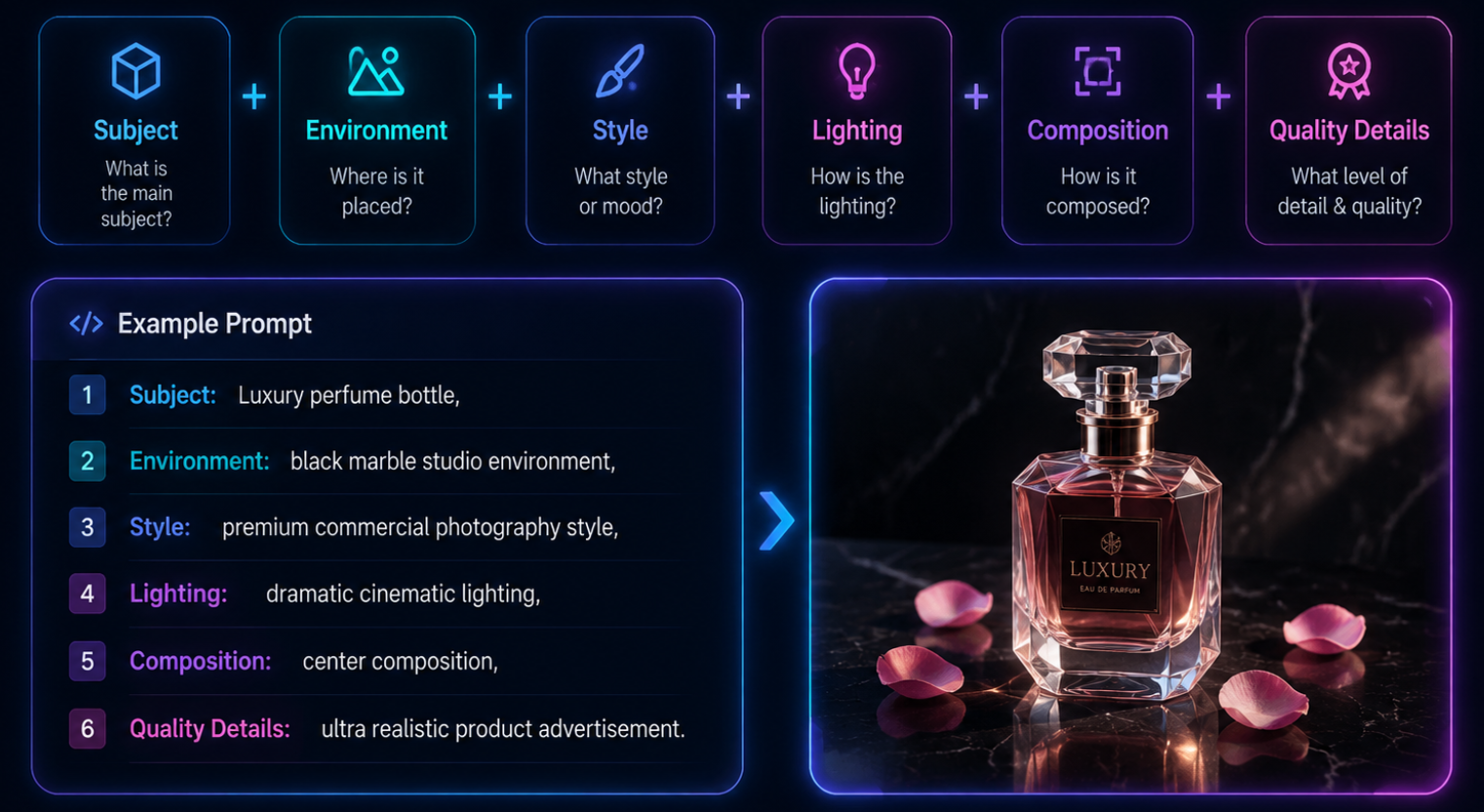
Good prompts are one of the most important factors affecting AI image quality.
Instead of writing:
A nice product image
a better prompt describes:
Prompt Formula
A practical Qwen Image 3.0 prompt structure:
Plain TextSubject + Environment + Style + Lighting + Composition + Quality Details
Example:
Plain TextLuxury perfume bottle,black marble studio environment,premium commercial photography style,dramatic cinematic lighting,center composition,ultra realistic product advertisement.
Professional Portrait Prompt
Plain TextProfessional business portrait of a confident executive,modern office background,natural window lighting,85mm portrait photography,realistic skin texture,editorial style,shallow depth of field,premium corporate photography.
Best For:
Product Photography Prompt
Plain TextLuxury cosmetic product placed on polished black marble,dramatic studio lighting,premium beauty advertisement,realistic glass reflections,cinematic shadows,high-end commercial photography.
Best For:
AI Poster Prompt
Plain TextModern AI technology conference poster,professional business layout,clean typography,blue gradient design,minimal visual style,organized information hierarchy,premium corporate graphic design.
Best For:
Infographic Prompt
Plain TextModern infographic explaining artificial intelligence workflow,five connected steps,clean icons,professional presentation style,blue color palette,structured information layout,business visual design.
Best For:
SaaS Dashboard Prompt
Plain TextModern AI SaaS dashboard interface,dark mode design,glassmorphism UI,analytics cards,data visualization panels,blue and purple lighting,premium startup product design.
Best For:
Image Editing Prompt
Plain TextReplace the background with a modern conference room,preserve facial identity,maintain clothing and hairstyle,improve lighting,enhance colors,keep realistic appearance.
Best For:
Strengths and Limitations
After reviewing Qwen Image 3.0's workflow, capabilities, and practical applications, its position becomes clearer.
The model is not simply competing to create the most artistic images.
Its main goal is helping users produce useful visual content faster.
Main Strengths
1. Strong Text Rendering
Qwen Image 3.0's biggest advantage is handling images that contain meaningful information.
This makes it useful for:
2. Excellent Prompt Understanding
The model performs well with detailed instructions involving multiple creative requirements.
Users can describe:
in one prompt.
3. Practical Image Editing
Editing existing images is often more useful than generating new ones.
Qwen Image 3.0 supports workflows such as:
4. Business-Oriented Workflow
Many AI image tools are designed mainly for artistic creation.
Qwen Image 3.0 is more focused on:
Current Limitations
Limited Public Benchmark Data
Independent benchmark comparisons remain limited.
Most available evaluations focus on official examples and practical testing rather than standardized benchmarks.
Technical Transparency
Compared with some research-focused models, detailed technical information remains limited.
This may matter more for developers and researchers than everyday creators.
Human Review Is Still Necessary
Even with improved generation quality:
AI works best as a creative assistant rather than a complete replacement for professional workflows.
Final Verdict
Qwen Image 3.0 represents a meaningful step toward more practical AI image generation.
Its biggest achievement is not simply creating attractive images—it is making AI-generated visuals more useful for real communication.
The model performs especially well in areas where traditional AI image generators often struggle:
For designers, marketers, creators, and businesses, these capabilities make Qwen Image 3.0 a powerful productivity tool.
However, users should maintain realistic expectations. It does not completely replace professional design software, and generated content still benefits from human review and refinement.
Overall, Qwen Image 3.0 is one of the most interesting AI image generators for users who need more than artistic images. Its focus on readability, organization, and practical workflows makes it particularly valuable for professional creative tasks.
Final Rating
点击图片可查看完整电子表格
Overall: Highly Recommended for creators and businesses focused on practical AI image generation.
Frequently Asked Questions
What is Qwen Image 3.0?
Qwen Image 3.0 is an AI image generation and editing model from Alibaba's Qwen ecosystem. It focuses on image creation, text rendering, structured layouts, and practical design workflows.
What makes Qwen Image 3.0 different?
Its biggest difference is its focus on practical visual communication. It is designed for posters, presentations, infographics, UI concepts, and commercial graphics rather than only artistic images.
Is Qwen Image 3.0 good for text generation?
Yes. One of its key strengths is generating images with more structured and readable text compared with many earlier AI image models. However, users should still review generated text before publishing.
Can Qwen Image 3.0 edit images?
Yes. It supports image editing workflows where users can describe changes such as background replacement, lighting adjustment, and style modification.
Is Qwen Image 3.0 better than Midjourney?
It depends on the purpose.
Qwen Image 3.0 is better suited for:
Midjourney remains stronger for:
Is Qwen Image 3.0 better than GPT Image?
Neither is universally better.
Qwen Image 3.0 is stronger for structured commercial visuals, while GPT Image provides a broader conversational AI workflow.
Can I use Qwen Image 3.0 for commercial projects?
Commercial usage depends on the platform and applicable licensing terms. Users should review the relevant usage policies before publishing generated content.
Who should use Qwen Image 3.0?
It is best suited for:
Start Creating with Qwen Image 3.0
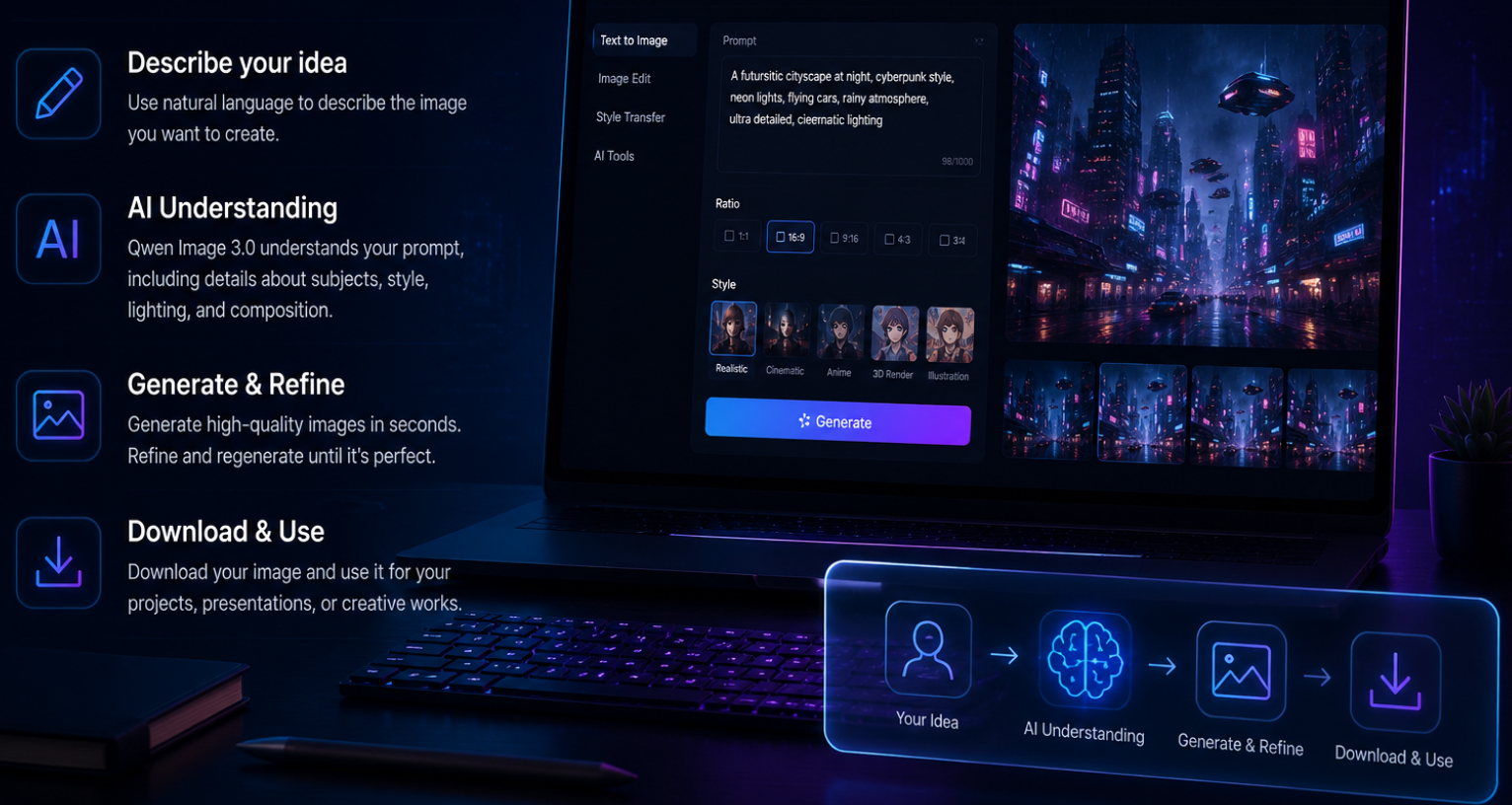
Qwen Image 3.0 shows how AI image generation is evolving from simple artwork creation into a practical creative workflow.
By combining image generation, structured layouts, text rendering, and image editing, it helps users transform ideas into usable visual assets faster.
Whether you are creating marketing graphics, product visuals, presentations, or design concepts, Qwen Image 3.0 provides a powerful starting point for modern AI-assisted creativity.