Qwen Image 3.0 vs GPT Image 2: Which AI Image Generator Should You Use?
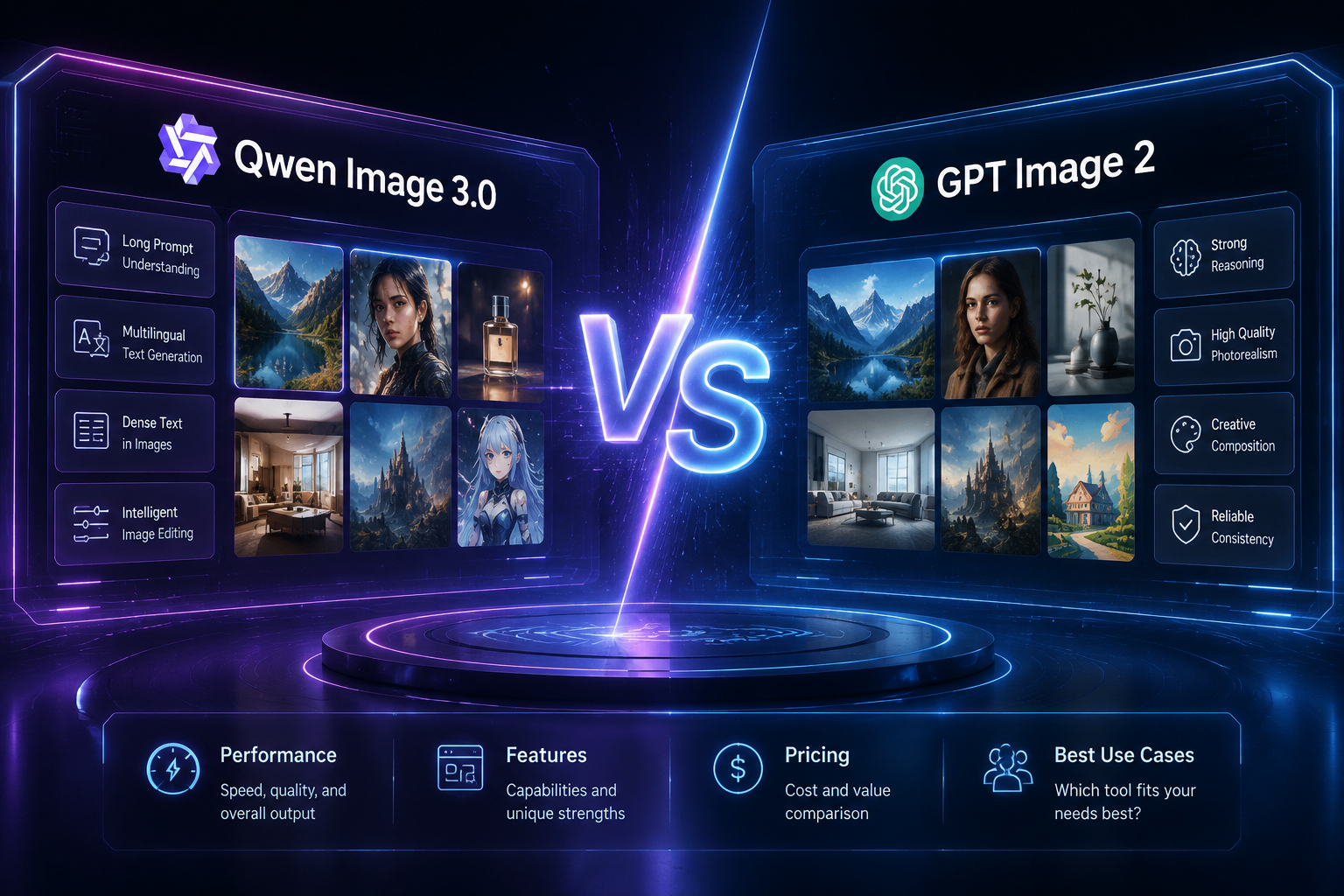
AI image generation is moving past "can it make a pretty picture" and into "can it actually be used in a real production workflow." In 2026, two heavyweight releases are driving that shift: Qwen-Image-3.0 from Alibaba's Tongyi (Qwen) team, and GPT Image 2 (ChatGPT Images 2.0) from OpenAI.
The two models represent different product philosophies — one built to be a structured design assistant, the other built to feel like a conversational creative partner. This post walks through an objective comparison based on official release information and real-world test results, so you can decide which one fits your workflow. If your work leans toward posters, infographics, UI concepts, or other structured commercial visuals, you can try Qwen Image 3.0 directly on this site — no third-party account needed.
1. Background: Who's Who
GPT Image 2 was officially released by OpenAI on April 21, 2026, as the second generation of ChatGPT Images. It quickly topped several image benchmarks after launch, with its biggest leap being in text rendering and layout accuracy — including a marked improvement in non-Latin scripts. It's available across ChatGPT, Codex, and the API.
Qwen-Image-3.0 was released by Alibaba's Tongyi team on July 21, 2026, as the third-generation foundation model in the Qwen-Image series. The official release frames this generation around three themes: richer content, more authentic detail, and deeper knowledge understanding — moving image generation beyond simple visual output and into complex layouts, professional documents, and multilingual content production.
In short: GPT Image 2 has been live for a few months and has a mature ecosystem and pricing. Qwen-Image-3.0 is the newer challenger, and its core capabilities — especially for structured commercial content — are a strong fit for the use cases this site is built around.
2. Core Capabilities Compared
2.1 Photorealism and Image Quality
Both models produce high-quality photorealistic output for portraits and product photography. The difference is more about style tendency than raw quality:
Qwen-Image-3.0: Clean composition and strong lighting control, particularly suited to product-focused, commercial-feeling images — ads, corporate headshots, presentation graphics. Some testers have noted that for Asian faces specifically, Qwen-Image-3.0 produces natural facial detail and skin texture without an obvious "AI look," occasionally edging out GPT Image 2 in that specific area.
GPT Image 2: Still top-tier overall, with strong naturalness, creative flexibility, and instruction-following — better suited to lifestyle photography, creative concepts, and narrative visuals.
Want to see how Qwen-Image-3.0 handles portraits and product shots? Try a free generation on this site — no signup required to see your first result. Use the prompt below to verify it yourself.
What to check: are facial proportions natural, does the skin texture look realistic, any obvious AI-generated distortions.


2.2 Text Rendering
This is the biggest leap for both models this generation, and where the differences are clearest.
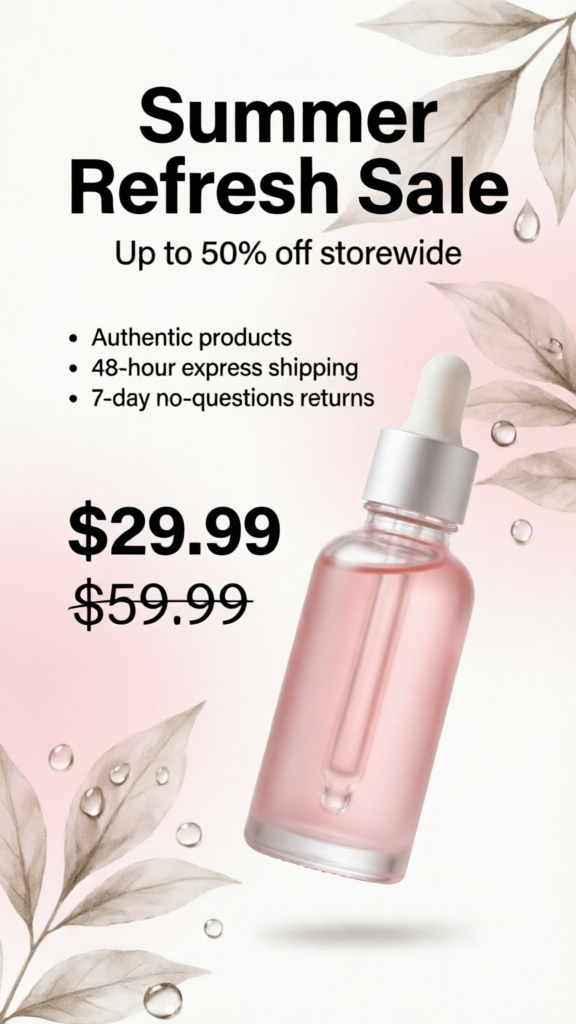
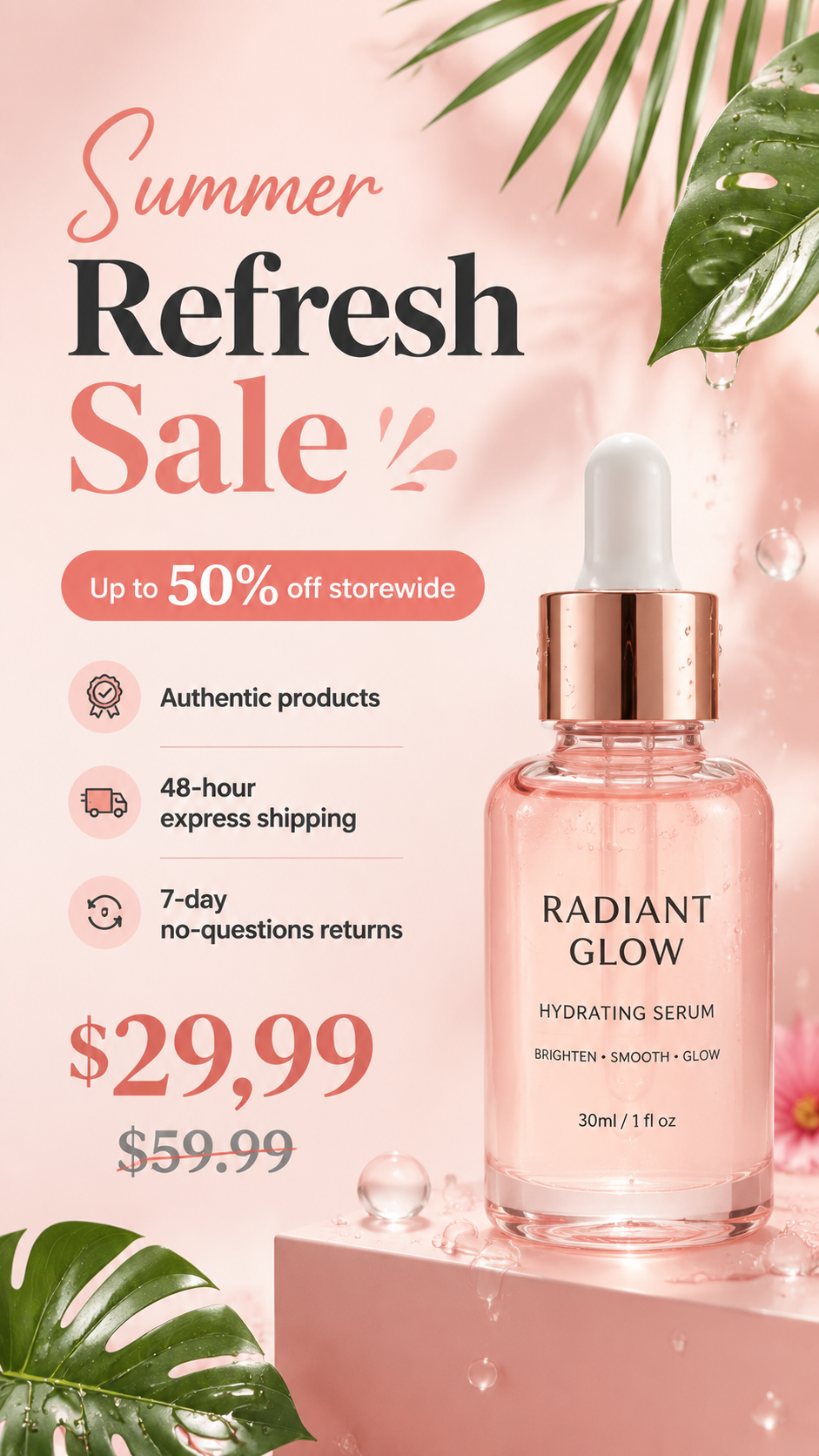
Qwen-Image-3.0's official target is legible text down to roughly 10px, with native rendering across 12 languages and 20+ fonts — which lowers the production cost of multilingual posters, product pages, and other "must be readable, must be usable" commercial assets. In one real-world test, a Chinese e-commerce poster prompt (title + selling points + price) came back with a 100% accurate title, accurate pricing, and mostly-accurate selling-point copy, with a reasonable overall layout.
GPT Image 2 has also significantly improved text generation, with a notable jump in non-Latin script quality compared to its predecessor — long-form images, posters, and UI text generally come out clean and readable. That said, OpenAI hasn't published quantified specs like a minimum legible font size or supported-language count the way Qwen has.
Bottom line: if your use case involves text-heavy commercial assets where accuracy actually matters (prices, dates, button copy that can't be wrong), Qwen currently shows a clearer edge for dense, structured text — which is a big part of why this site is built around it.
What to check: is every word of the headline and bullet points correct, is the pricing accurate, does the strikethrough render properly.
2.3 Long-Prompt Understanding
Qwen-Image-3.0 raised its prompt limit from roughly 1,000 tokens in the previous generation to about 4,500 tokens — a 4.5x jump. That means you can write a prompt the way you'd write a design brief for a human designer: full description of layout, text content, visual style, and composition, instead of compressing everything into one sentence. This matters most for storyboards, dense infographics, and product spec sheets that need long, detailed prompts. The generator on this site is tuned for that kind of long-prompt input.
GPT Image 2's strength is conversational refinement: start with a rough direction, then iterate with follow-up instructions until you land on the result you want — a workflow that's more forgiving if you don't want to write a long prompt up front.
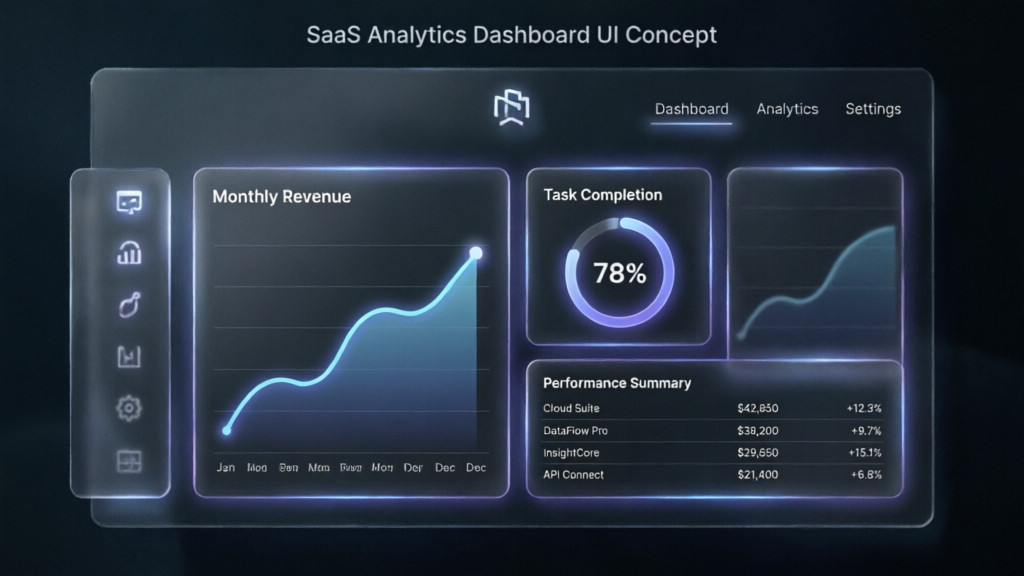
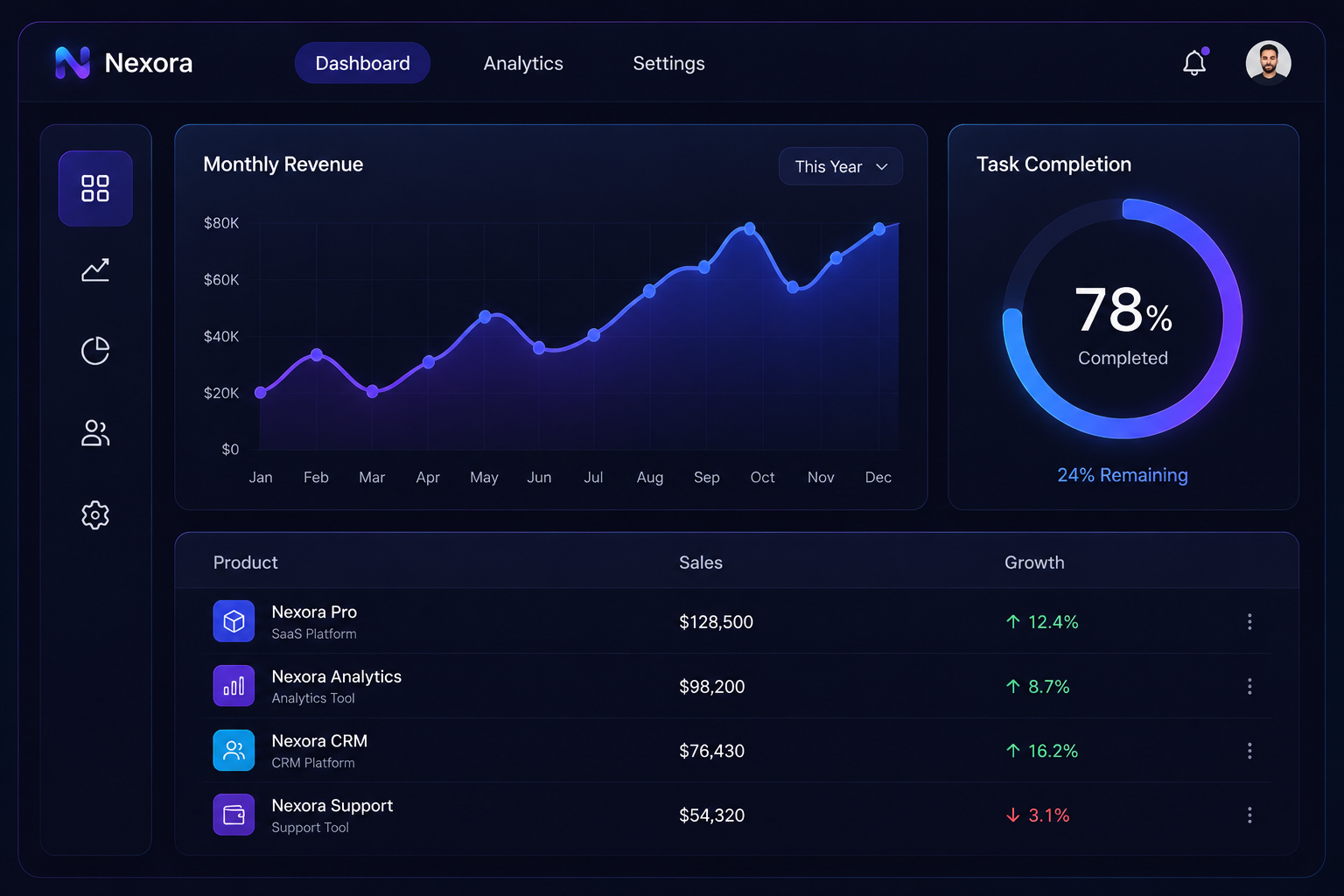
What to check: are all three content blocks fully generated, is the chart title text accurate, does the table render as a proper grid rather than garbled text.
2.4 Image Editing
Qwen-Image-3.0 shipped alongside an Edit version that supports instruction-based edits to existing images — background swaps, style changes, adding or removing objects. Real-world testing found the Edit version responds roughly 40% faster than a full regeneration, while preserving the rest of the original image reasonably well — useful for e-commerce workflows where you need the same product with different backgrounds or angles.


GPT Image 2's editing is built on ChatGPT's conversational context, so smooth multi-turn iteration is its strong point.


What to check: do the subject's pose, expression, clothing, and hair edges stay unchanged after the background swap, does the new background's lighting match the subject, any visible cutout artifacts.
3. Real Test Results
Based on third-party hands-on comparisons across three typical tasks — e-commerce posters, portraits, and data infographics:
| Test | Qwen-Image-3.0 Result | GPT Image 2 Result | Takeaway |
|---|---|---|---|
| E-commerce poster (Chinese title + selling points + price) | Title 100% accurate, price accurate, selling points mostly reproduced, colors somewhat conservative | Stronger overall design sense | GPT Image 2 still leads on overall design, but Qwen's Chinese text rendering has reached practical usability |
| Business portrait (Asian face) | Natural facial detail, realistic skin texture, no obvious AI look | High overall quality, but Asian facial proportions occasionally slightly off | Tied on realism, with a slight edge for Qwen on Asian faces |
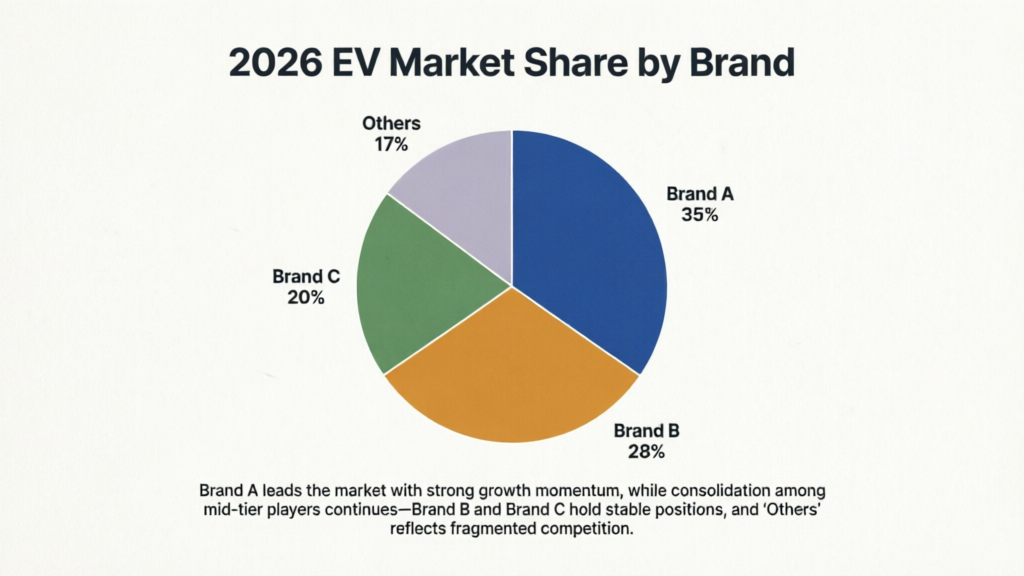
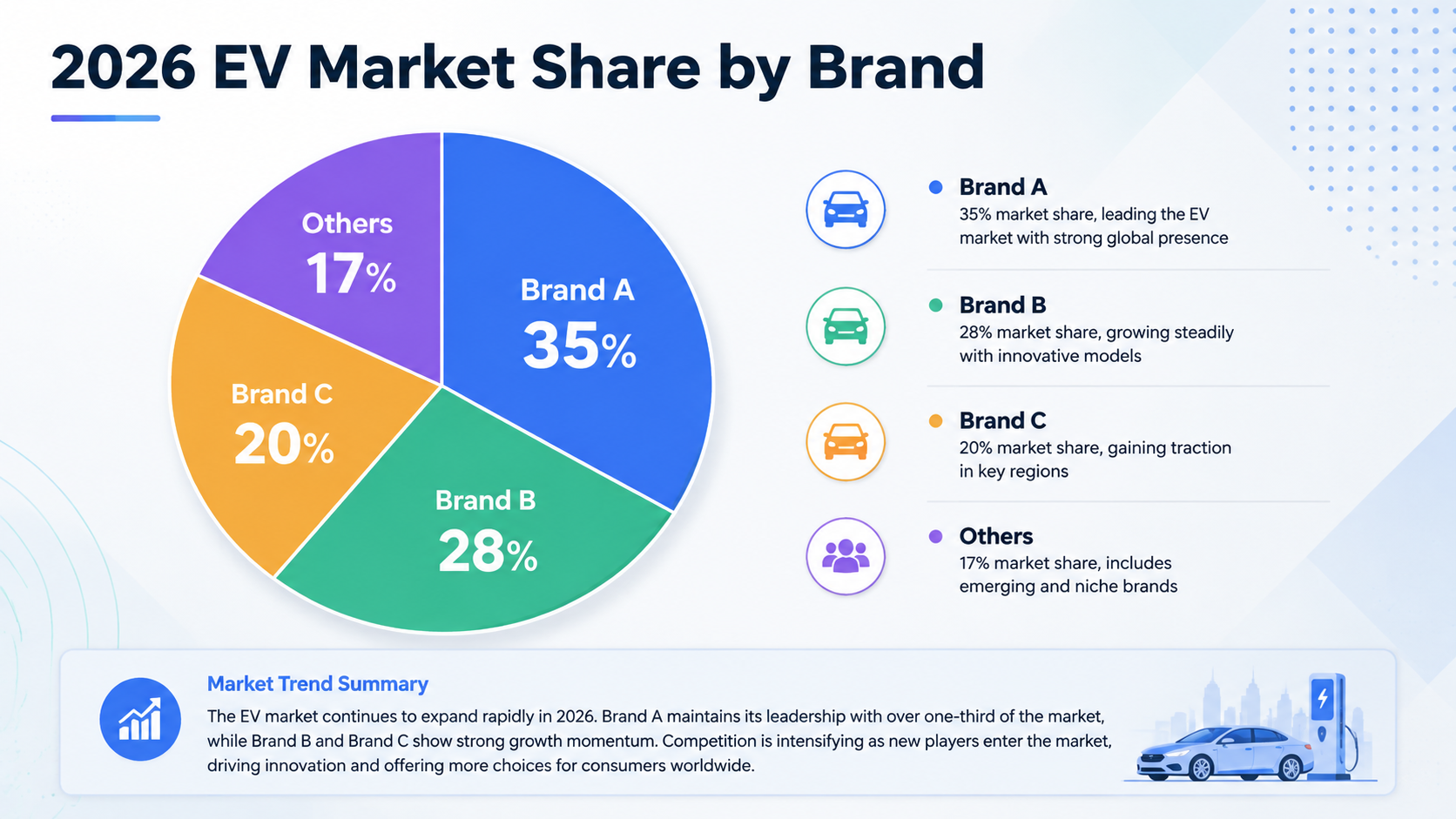
| Data infographic (pie chart + labels) | Chart shape correct, some numbers deviated from the prompt, labels mostly readable | — | Structured charts still need a human accuracy check either way |
Note: these are observations from specific test samples, not comprehensive benchmark results — actual output will vary based on prompt wording, language, and scenario. For any commercial asset with critical text (prices, dates, legal copy), always proofread the generated text before publishing — this applies to both Qwen-Image-3.0 and GPT Image 2. Test prompts for the poster, portrait, dashboard UI, and local-edit tasks are included in the "Core Capabilities Compared" section above — copy them directly into this site's generator.
data infographic (verifies structured chart accuracy):
What to check: do the four segments roughly match 35/28/20/17, are the percentage labels accurate, are brand labels legible, is the "Others" segment missing.
4. Where Qwen Image 3.0 Has a Clear Edge
Based on the comparison above, here are the use cases where Qwen-Image-3.0's advantage over GPT Image 2 is most concrete — and where this site's generator is specifically tuned:
| Use Case | Why Qwen-Image-3.0 Fits |
|---|---|
| Product ads / commercial posters | Structured layout, commercial feel, high text accuracy |
| Infographics / presentation graphics | Long-prompt support, strong information hierarchy |
| SaaS UI / dashboard concepts | Strong interface language and layout structure |
| Localized / Chinese-market marketing assets | Chinese text rendering accuracy is a core strength |
| Multilingual marketing assets | Native rendering across 12 languages |
| Local image edits (background swap, style change) | Edit version is faster and preserves the rest of the image well |
If your work is mostly creative portrait exploration or multi-turn conversational design iteration, GPT Image 2's conversational workflow is currently more mature and can be accessed directly through ChatGPT or the OpenAI API. If your work falls into the structured, information-dense categories above, generating directly with Qwen-Image-3.0 on this site will typically get you there faster.
5. How to Use Qwen Image 3.0 on This Site
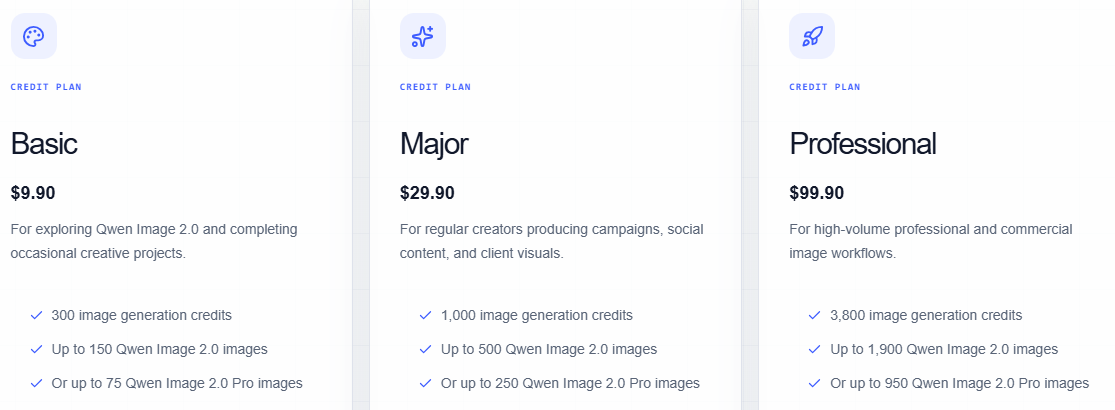
This site offers online access to the Qwen-Image-3.0 model on a credit-based system:
- Your first generation is free to try — no signup needed to see a result
- Purchase credits when you're ready to generate and download in high resolution
- Credits don't expire and carry over to future model updates on this site
6. Pros and Cons
Qwen-Image-3.0
Pros:
- Strong structured layout generation, especially for posters and infographics
- High text rendering accuracy across Chinese and other languages
- Long prompt support (~4.5k tokens) for precise, detailed briefs
- Fast Edit-version response times
Cons:
- Conversational iteration isn't as mature as GPT Image 2's yet
- The official API is still early-stage and features are actively evolving
GPT Image 2 (for reference)
Pros:
- Smooth conversational generation and editing workflow
- Strong overall design freedom and creative flexibility
- Mature API and subscription ecosystem
Cons:
- Dense, structured commercial layouts sometimes need extra iteration
- Asian facial features are occasionally not fully natural
- Key text details still need manual proofreading
7. Final Recommendation
No single model wins every use case. But if your core work is structured commercial content — posters, infographics, UI concepts, localized marketing assets — Qwen-Image-3.0 currently offers stronger text accuracy and layout control, and you can try it free right here without configuring an API or switching platforms.
If your work leans more toward creative exploration, portraits, or multi-turn conversational editing, GPT Image 2's interaction model is currently more mature and available directly through ChatGPT or OpenAI's official channels.
The two aren't mutually exclusive — many professionals route structured production work to Qwen-Image-3.0 and keep creative exploration in GPT Image 2.
Try it now: Generate your first Qwen Image 3.0 image freeFrequently Asked Questions
Q1: Is Qwen-Image-3.0 better than GPT Image 2?
It depends on your use case. Qwen-Image-3.0 stands out for structured commercial visuals, posters, infographics, and text rendering — especially in Chinese. GPT Image 2 offers a smoother conversational creation and editing experience.
Q2: Which model is better for designers?
Designers producing posters, presentation graphics, or UI concepts may prefer Qwen-Image-3.0's structured output. Designers who like iterative, creative exploration may find GPT Image 2's workflow a better fit.
Q3: Which model makes better posters?
Qwen-Image-3.0 has a clear edge in layout organization, text hierarchy, and information density — particularly for text-heavy posters. You can generate one directly on this site.
Q4: Which model is better at image editing?
GPT Image 2's conversational editing is smoother for multi-turn work. Qwen-Image-3.0's Edit version responds faster for targeted, structured changes. Each has its strength.
Q5: Is Qwen-Image-3.0 free?
This site offers a free trial generation. Downloading in high resolution requires credits — see the pricing page for details.
Q6: What's this site's relationship to Alibaba or the official Qwen team?
This site is an independent third-party tool built around the Qwen-Image-3.0 model. It is not affiliated with, endorsed by, or officially certified by Alibaba or the Qwen team.
Q7: Which model is better for business marketing assets?
Teams producing marketing posters, presentations, and product visuals will likely benefit more from Qwen-Image-3.0.
Q8: Which model is better for beginners?
If you want to produce a finished, structured result in one pass, Qwen-Image-3.0's long-prompt mode is worth trying — the generator on this site is also designed to guide first-time users.
Q9: Should I use both models?
You can split by task type. If your core need is structured commercial content, Qwen-Image-3.0 on this site covers most of that without needing a separate account elsewhere.
Q10: Can I use the generated text commercially right away?
Qwen-Image-3.0's text rendering has improved significantly, but for anything with critical text — prices, dates, legal copy — always proofread the generated image before publishing, to catch any individual character errors.
Note: Release dates, specs, and test data referenced in this article come from publicly available sources. AI image generation is a fast-moving field — always verify current capabilities against your own generation results.