Qwen Image 3.0 vs Nano Banana 2: 3 Questions to Decide Which One You Need
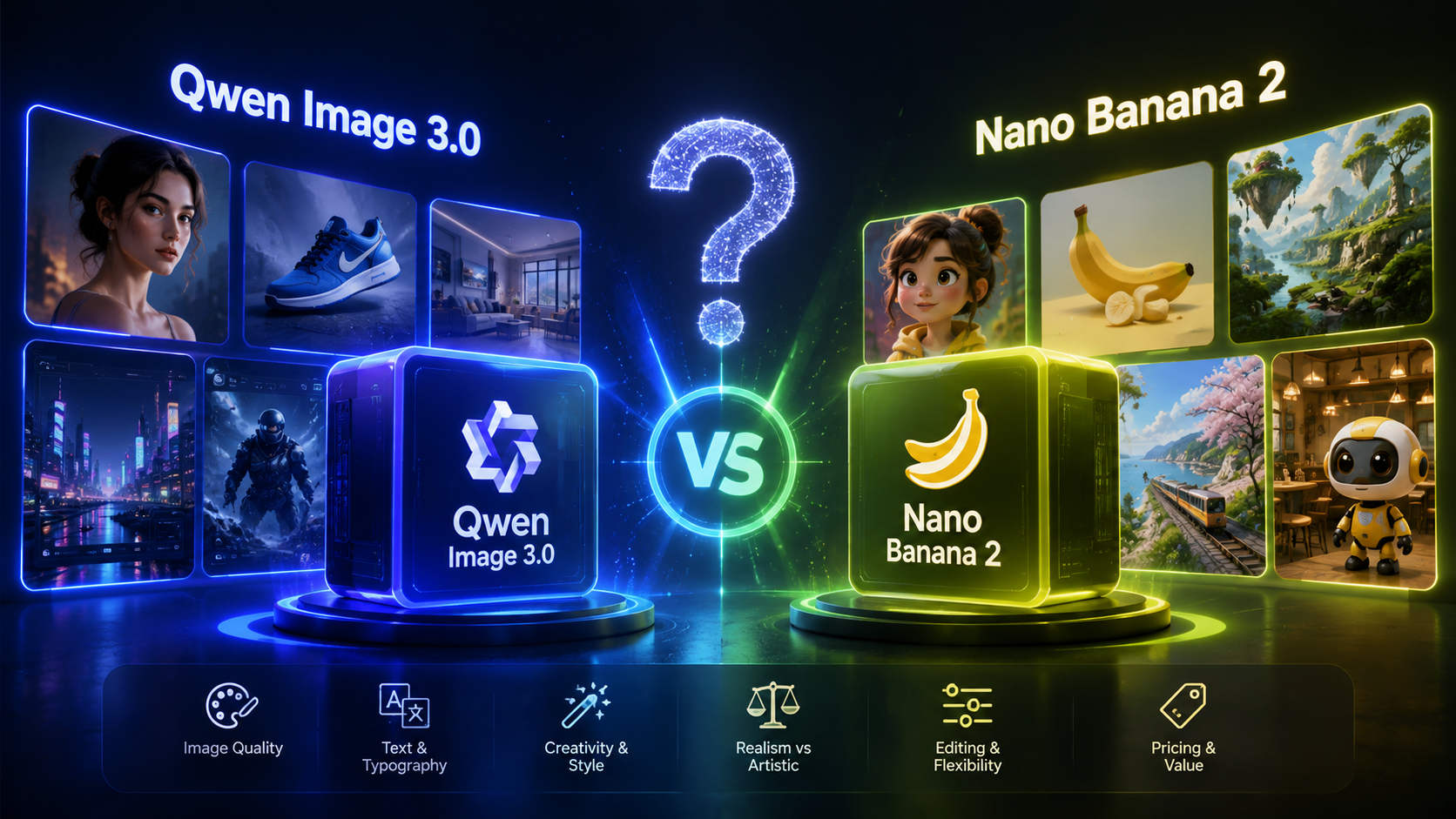
Most comparison posts for these two models just dump a spec table on you and leave you no closer to a decision. This post takes a different approach: instead of walking through capability categories one by one, it starts with three questions. By the time you've answered them, you should already know which model fits — the test prompts and scenario breakdown below are there to help you verify the answer yourself.
The Short Version
If you don't have time to read the whole thing:
- Your content is text-heavy and layout-precise (posters, infographics, spec sheets) → Qwen-Image-3.0
- You need the same character or mascot to appear consistently across images, or you need to plug straight into an API for batch production → Nano Banana 2
- Need both? That's fine too — plenty of teams split tasks between the two.
Here's the longer version.
What These Two Models Actually Are
Nano Banana 2 (official codename Gemini 3.1 Flash Image) is the image generation model Google DeepMind released on February 26, 2026. It's built around the idea of "Pro-level quality at Flash-level speed" and topped the Image Arena leaderboard with a score of 1279 on launch day. It's now built into the Gemini App, Google Search, AI Studio, Vertex AI, and more, available across 141 countries and regions.
Qwen-Image-3.0 is the image generation and editing model Alibaba's Tongyi team released on July 21, 2026. It's built around long-instruction understanding and dense text rendering, with an official positioning that pushes image generation past simple visual output and into complex layouts, professional documents, and multilingual content production.
This site is an independent third-party service built around the Qwen-Image-3.0 model. It is not affiliated with Alibaba, the Qwen team, Google, or the Gemini team. Information about Nano Banana 2 in this article comes from public sources for comparison purposes only — this site does not currently offer Nano Banana 2 generation.
Three Questions to Decide Which One Fits
Question 1: Is your content text-heavy and precision-dependent?
If you're making e-commerce posters, infographics, product spec sheets, or presentation graphics — content where the text itself carries the message, and a title, price, or data label being wrong actually breaks the asset — text rendering accuracy is your top priority.
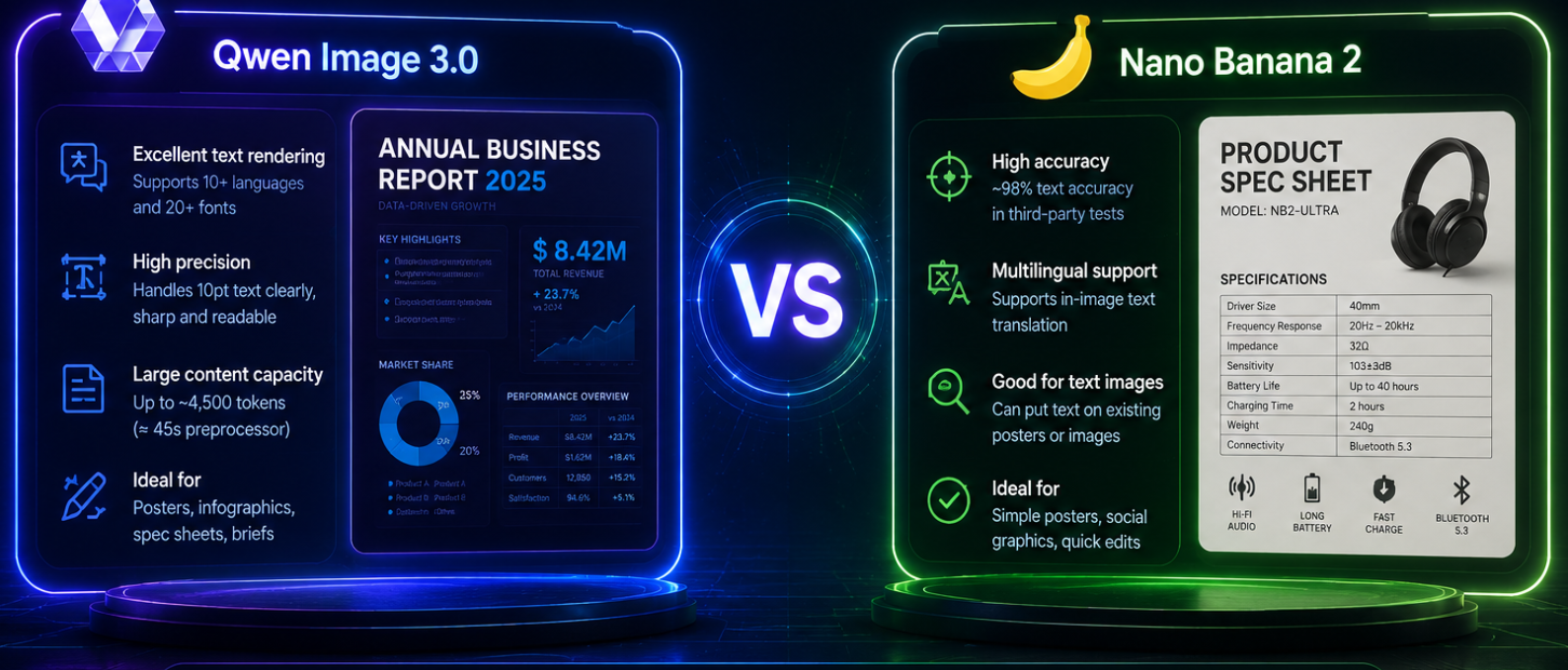
Qwen-Image-3.0's official target is legible text down to roughly 10px, with native rendering across 12 languages and 20+ fonts, and a prompt limit of about 4,500 tokens (roughly 4.5x its predecessor) — enough to write a full design brief in one prompt. Third-party testing generally rates Qwen among the strongest models tested for dense text and multilingual layout.
Nano Banana 2's text rendering has also improved significantly, leveraging Gemini 3.1's world knowledge — third-party testing puts its text accuracy at roughly 90%, and it supports in-image text translation (swap the text on an existing poster into another language), a capability Qwen doesn't officially emphasize. But on ultra-dense, small-font text, current test data still favors Qwen.
If this is your core need → go with Qwen-Image-3.0. Try it free on this site right now.
Question 2: Do you need the same character to show up consistently?
If you're making comic panels, a series of ad variations, or a recurring mascot appearing across different scenes — where the same character's look, outfit, and features need to stay consistent from image to image — this is a subject-consistency problem.
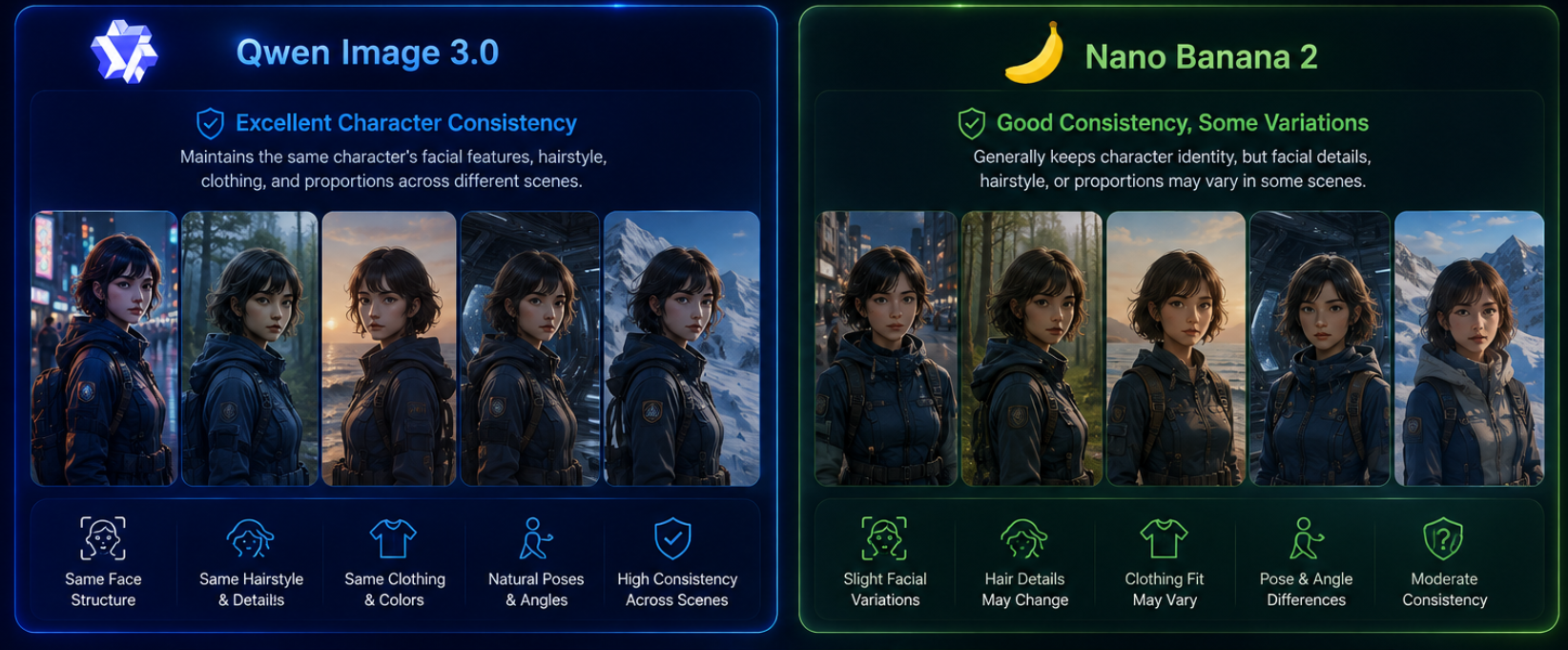
Nano Banana 2 has a clear official spec here: a single generation can maintain consistency across up to 5 characters and 14 objects, paired with conversational multi-turn editing — well suited to any content that needs a recurring character across scenes.
Qwen-Image-3.0's public materials don't emphasize this capability. Its strength is more about structure and text precision within a single image, not consistency across a series of images.
If this is your core need → Nano Banana 2 is the better fit right now, available through the Gemini App or Google AI Studio.
Question 3: Do you need to plug straight into an API for batch production?
If you're wiring image generation into an automated pipeline — auto-generating product images on a website, batch output, or system-level calls — API availability and stability matter most.
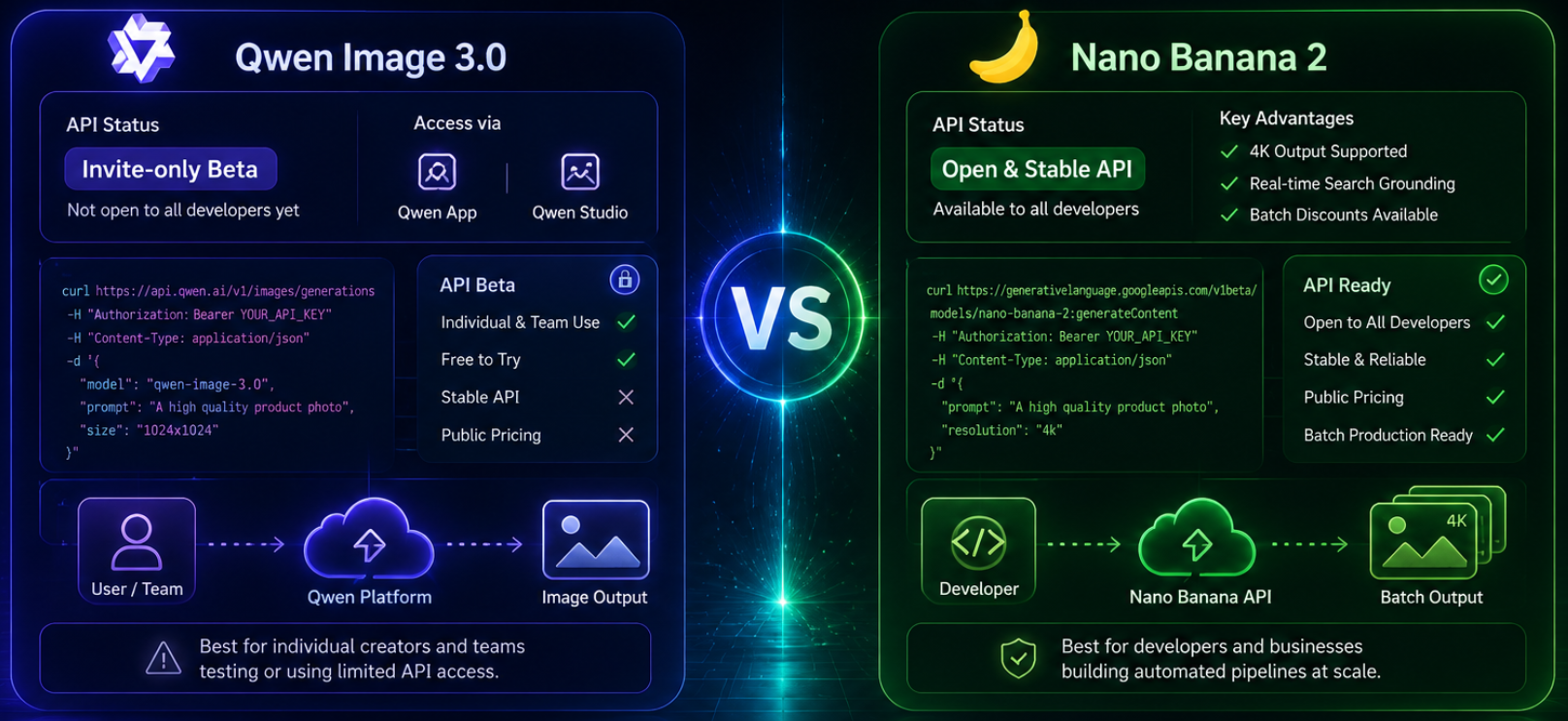
Nano Banana 2 already has a standard, open API supporting 4K output, and can even call Google Search for real-time grounding. Official pricing runs roughly $0.045 to $0.151 per image depending on resolution, with batch discounts available.
Qwen-Image-3.0's official API is still in an invite-only beta. Individuals and teams can try it free through Qwen Studio or the Qwen App, but a stable, publicly-priced API isn't open to all developers yet.
If this is your core need → Nano Banana 2 is currently more mature. If you're only generating a handful of high-quality commercial images occasionally rather than automating at scale, this question probably doesn't decide it for you — go back to questions 1 and 2.
Try It Yourself: 4 Test Prompts (Side-by-Side on Both Models)
Reading a comparison only gets you so far — run these yourself. For each prompt below, generate it on this site with Qwen-Image-3.0, then paste the exact same prompt into Nano Banana 2 (via the Gemini App or Google AI Studio) and compare the two outputs directly — that tells you more than any spec table.
① Dense-text test (maps to Question 1)
Plain Text
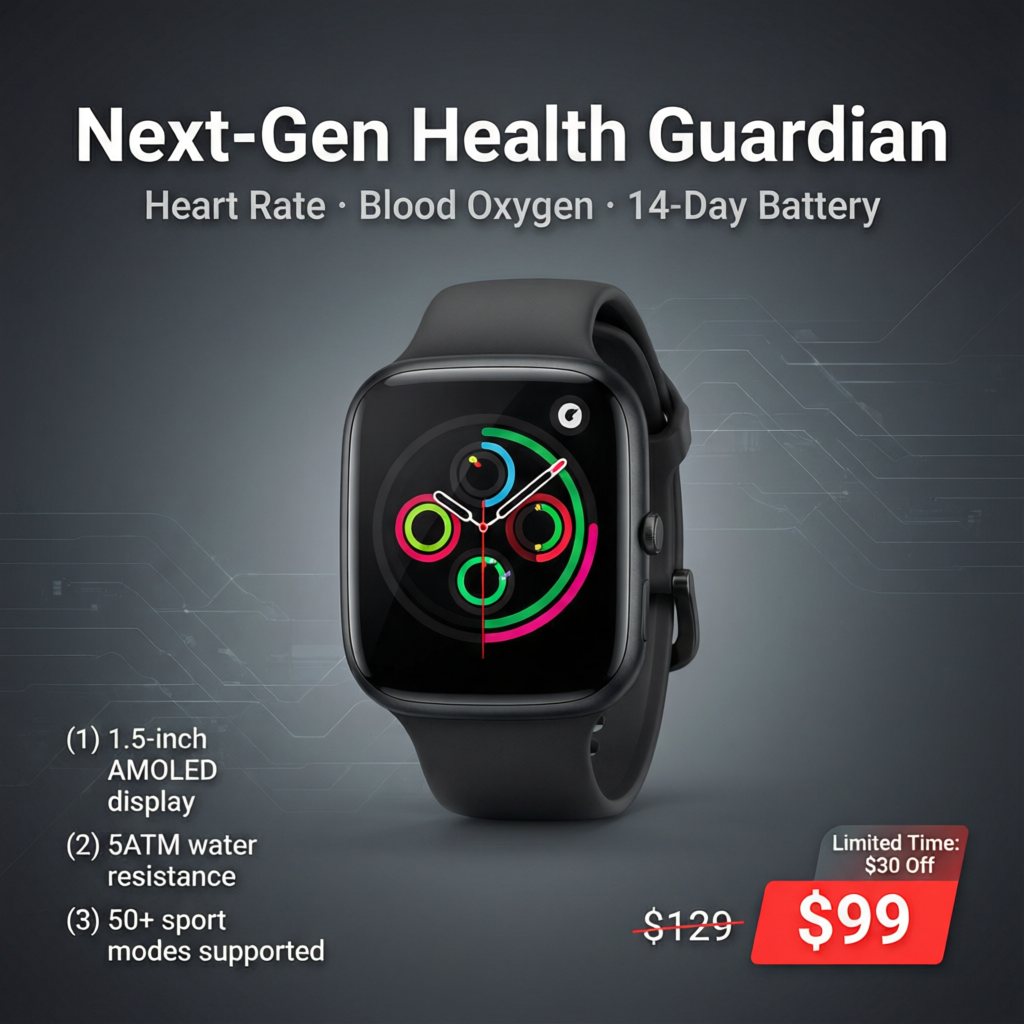
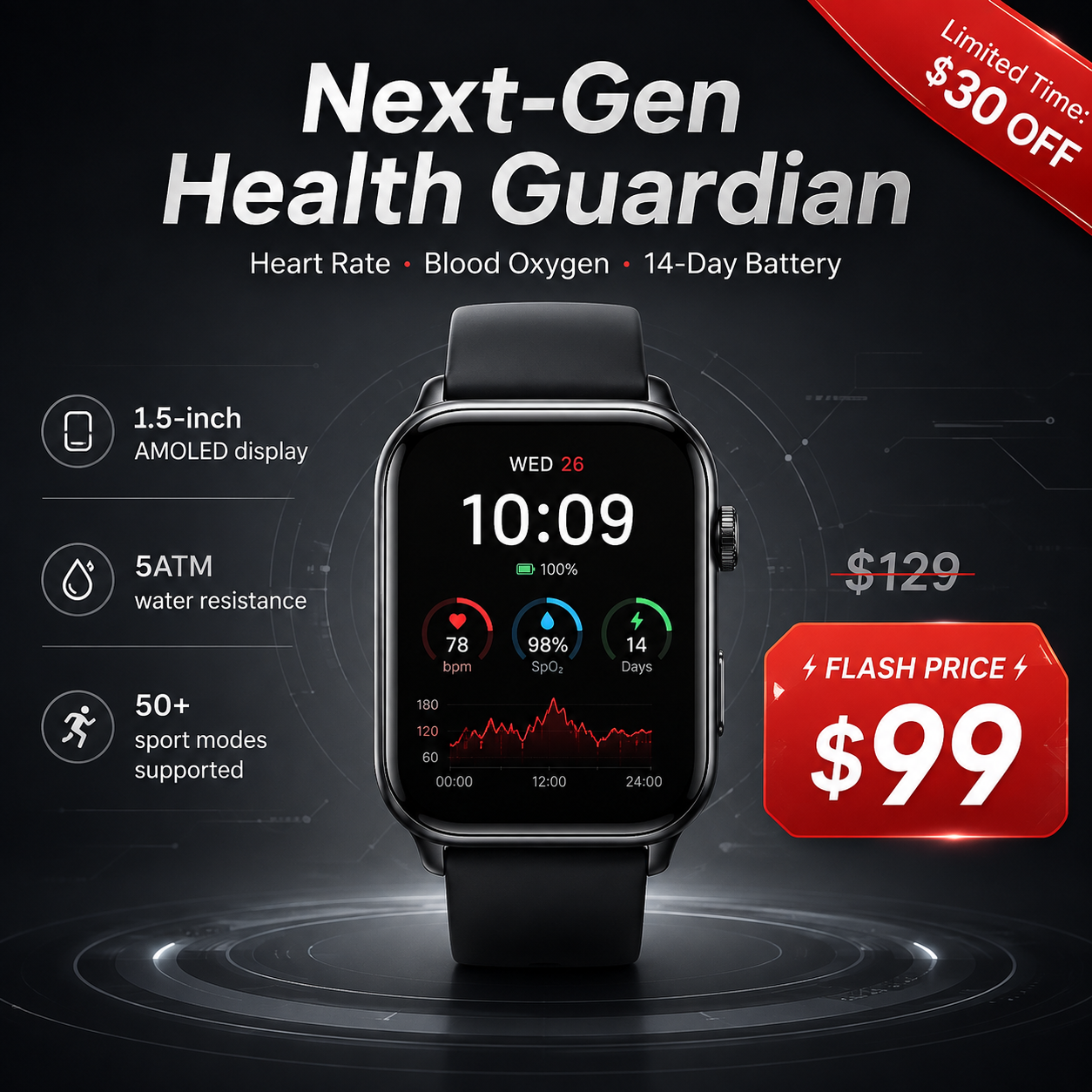
Generate a smartwatch launch poster, square 1:1 composition. Headline "Next-Gen Health Guardian". Subhead "Heart Rate · Blood Oxygen · 14-Day Battery". Spec list: (1) 1.5-inch AMOLED display, (2) 5ATM water resistance, (3) 50+ sport modes supported. Price "$129", flash price "$99" shown on a red tag, corner badge text "Limited Time: $30 Off". Hero product: a black smartwatch centered in frame, dark gray gradient background with subtle tech-style linework, clean premium style suitable for an e-commerce product page hero banner.
What to compare: is the headline, subhead, and all three spec lines correct and typo-free on both, are both prices and the badge text accurate, does the red price tag and discount badge render properly on both — pay particular attention to which model makes fewer errors on the smaller spec-list text.
② Long-prompt / complex-layout test (maps to Question 1)
Plain Text
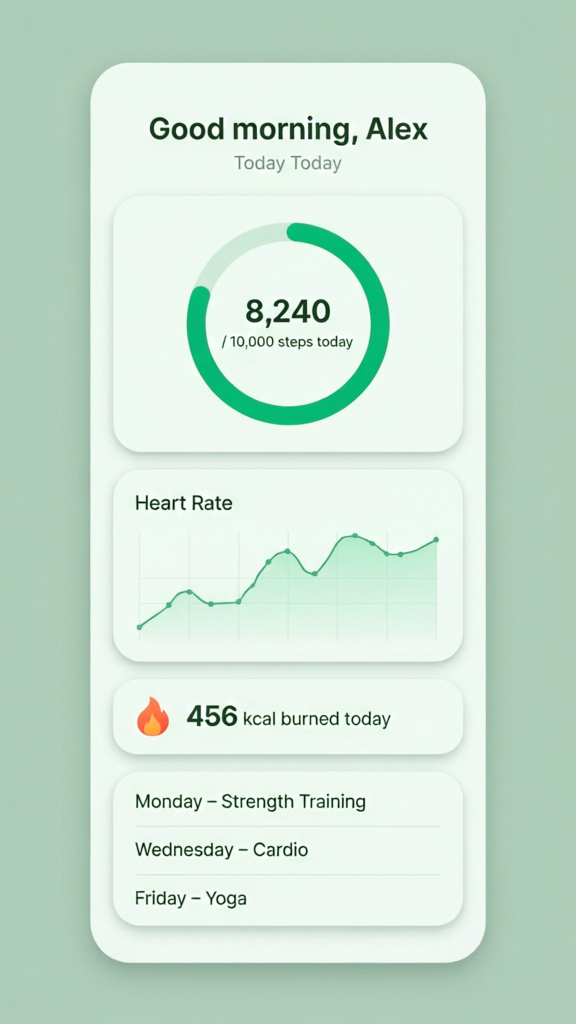
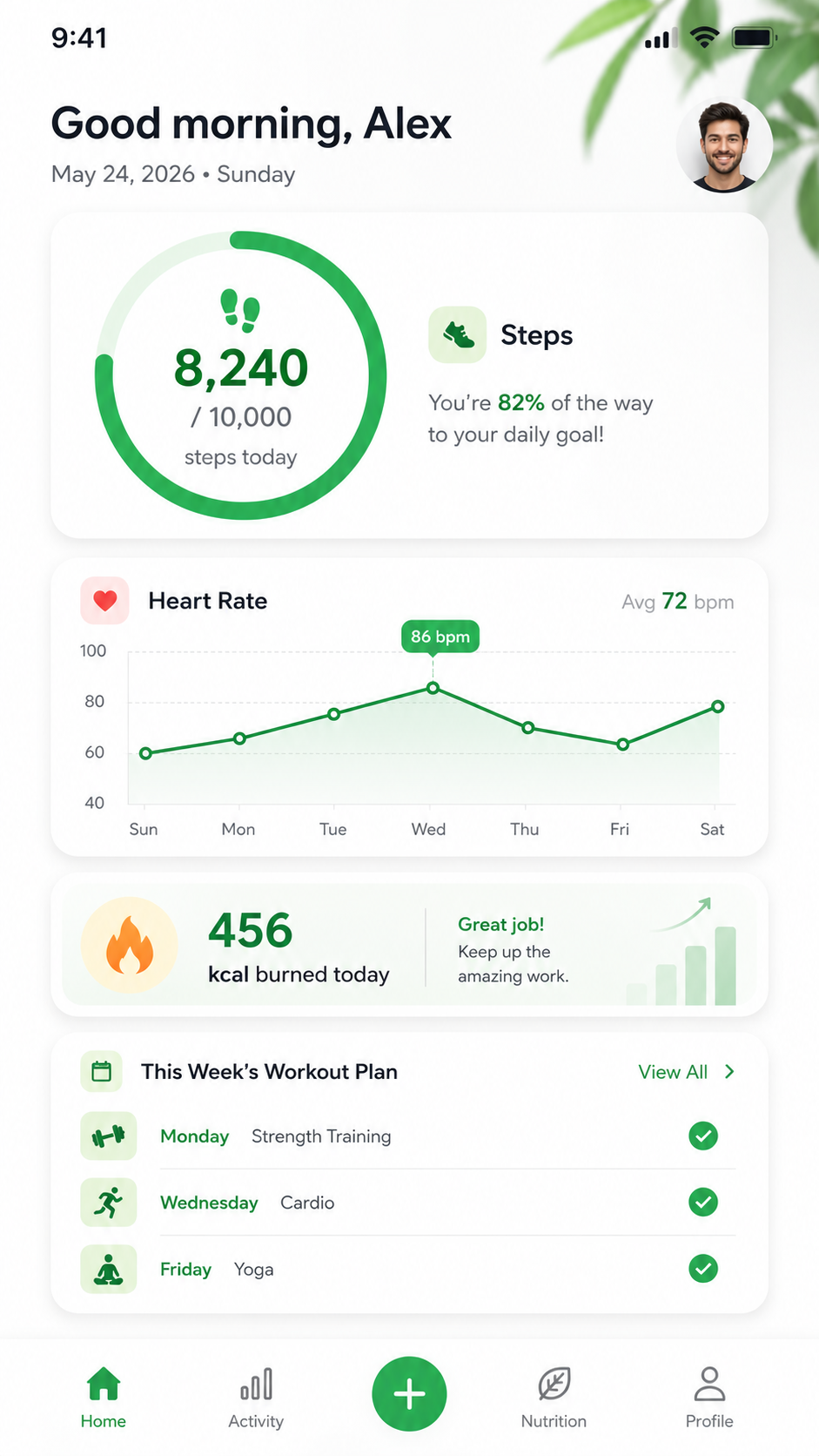
Design a fitness tracking app's mobile home screen, vertical 9:16, light theme, card-based layout. Top shows a greeting "Good morning, Alex" and today's date. Below, four cards: (1) a circular progress ring showing "8,240 / 10,000 steps today"; (2) a line chart titled "Heart Rate" showing the past 7 days' trend; (3) a card showing "456 kcal burned today" with a small flame icon; (4) at the bottom, this week's workout plan listing three rows: Monday – Strength Training, Wednesday – Cardio, Friday – Yoga. Green and white color palette, modern clean style, suitable as a fitness app design mockup.
What to compare: did both models fully generate all four cards, are the progress ring and line chart's title and numbers accurate on both, are all three workout-plan rows complete and matched to the correct day — pay attention to which model holds onto more of this long instruction's detail in one pass.
③ Character-consistency test (maps to Question 2)
Plain Text
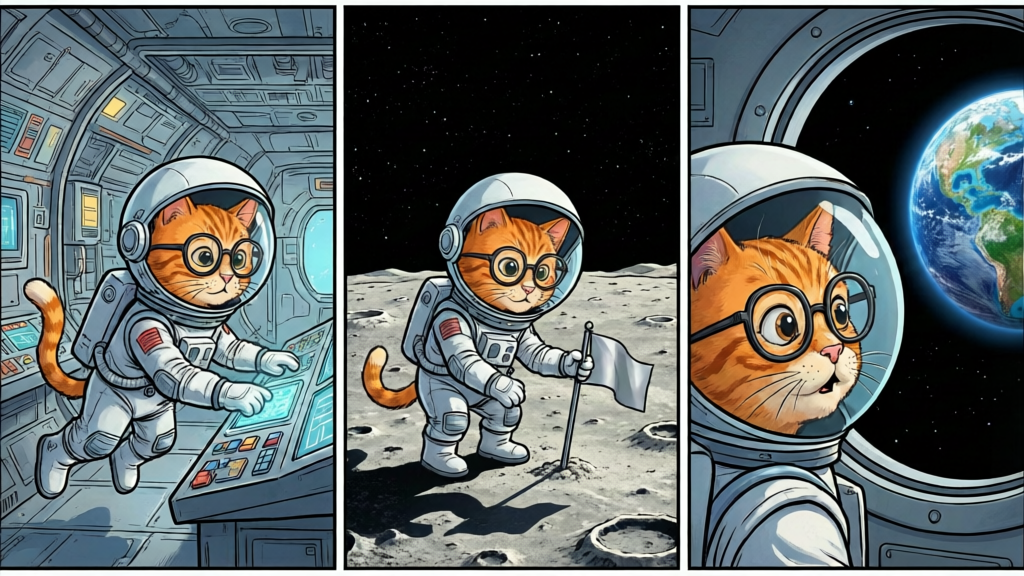
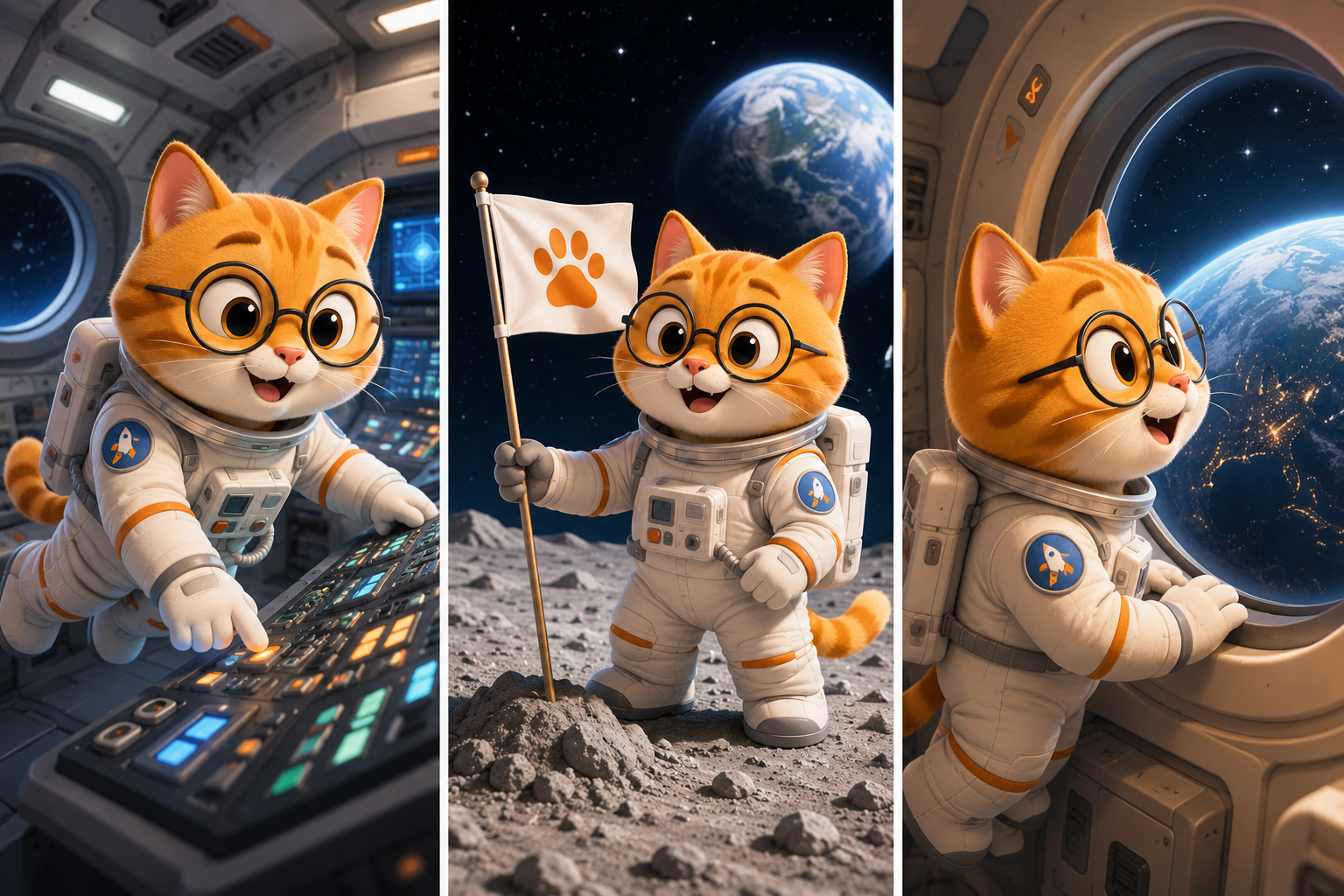
Generate a cartoon-style orange tabby cat astronaut character wearing round glasses and a white spacesuit, curious expression. Using the exact same character design, generate 3 different scenes: (1) floating inside a spacecraft cabin operating a control panel, (2) planting a small flag on the lunar surface, (3) looking out a spaceship window at Earth with an awestruck expression. The cat astronaut's body shape, spacesuit coloring, and facial features (including the glasses) must stay identical across all three images — only the scene, pose, and background should change.
What to compare: run the full 3-image set on both models and compare which one keeps the cat astronaut's body proportions, spacesuit color, glasses, and facial features more consistent across the series. Expect Nano Banana 2 to have a real edge here, since multi-character consistency is an official spec and Qwen doesn't emphasize it — this test lets you see exactly how big the gap is.
④ Local-edit test (maps to Question 3)
Plain Text
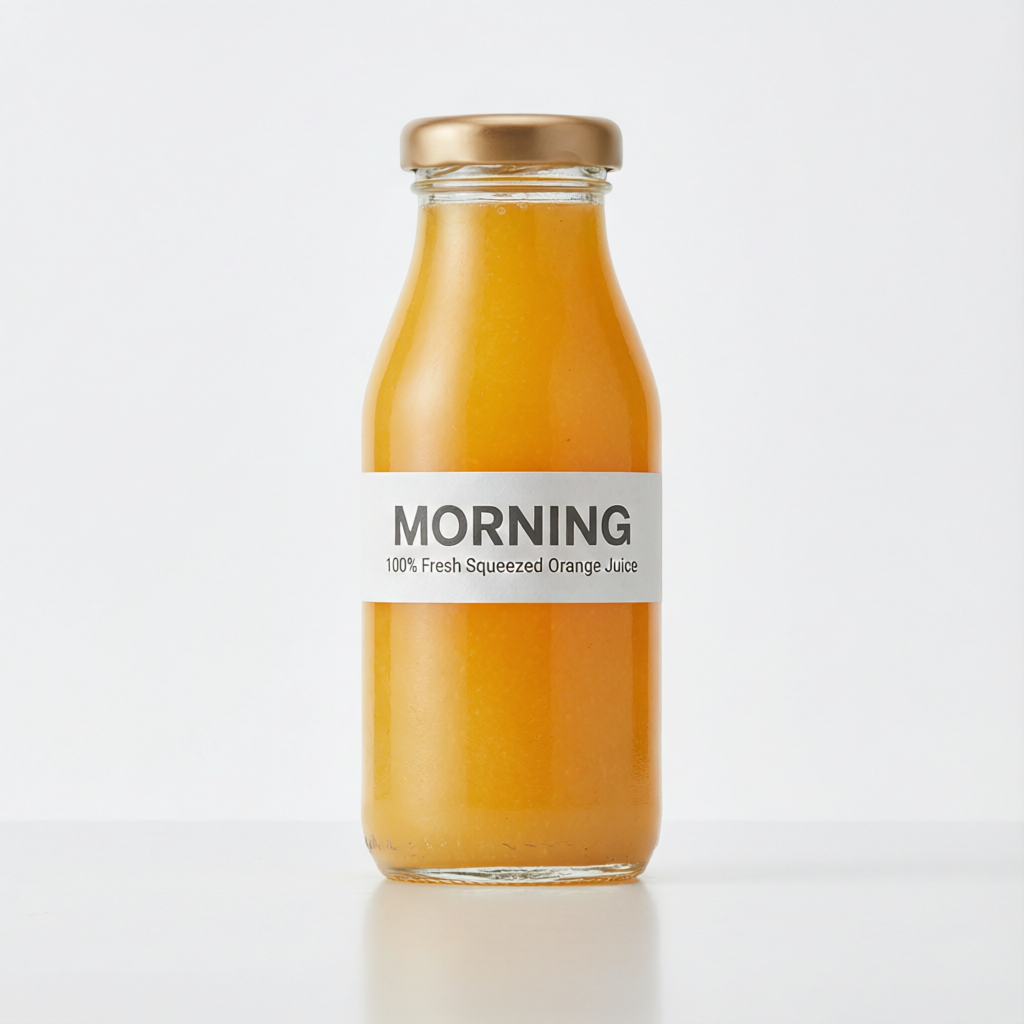
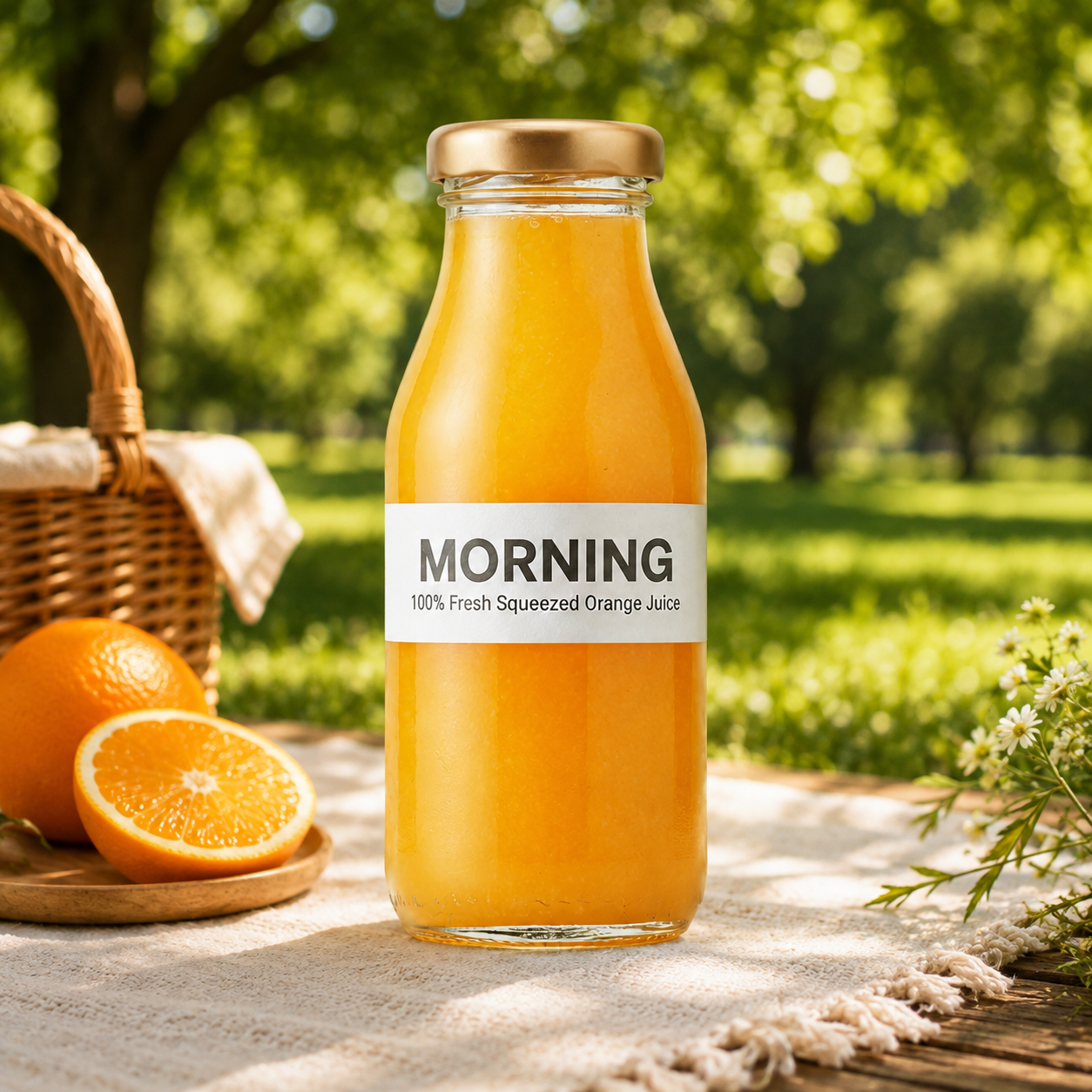
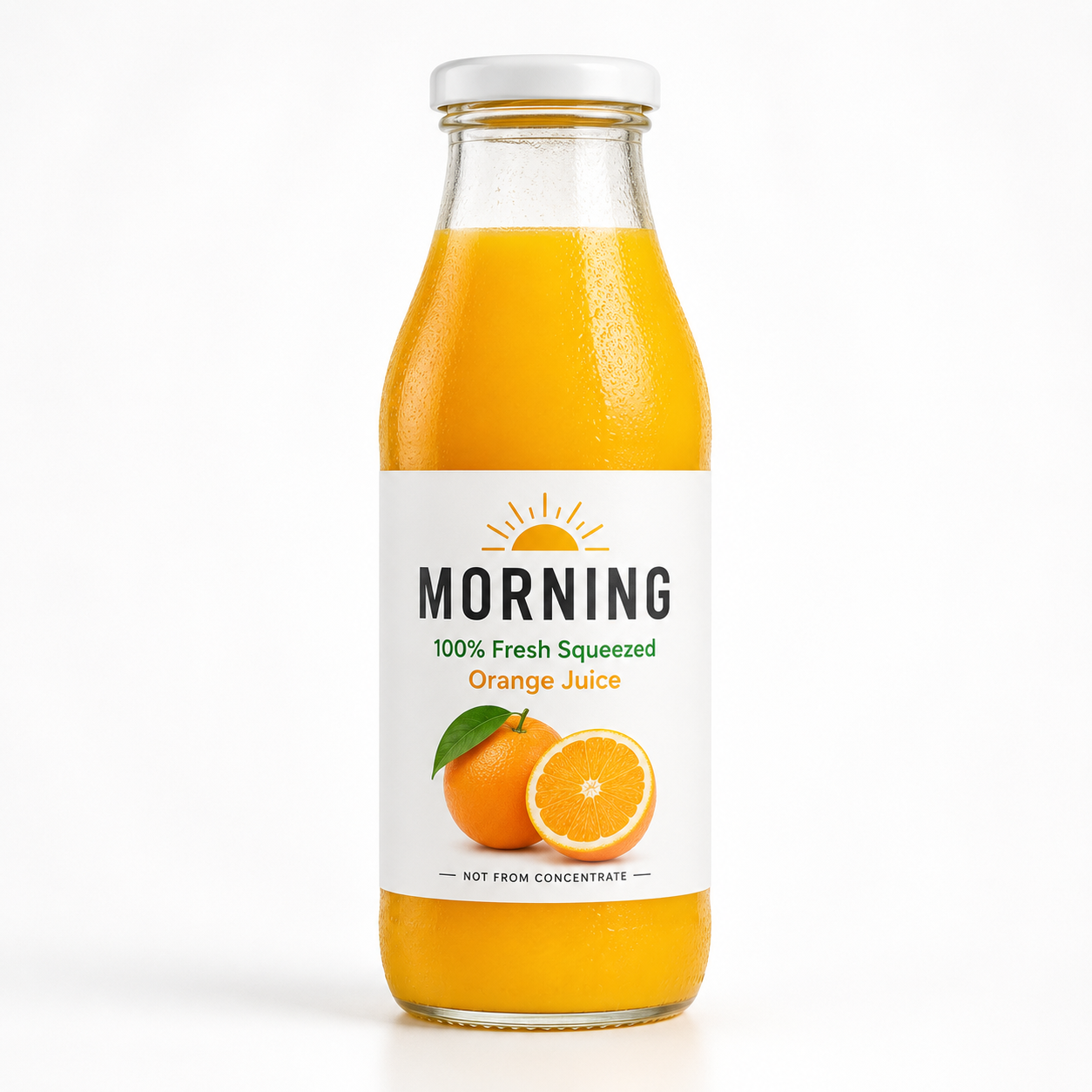
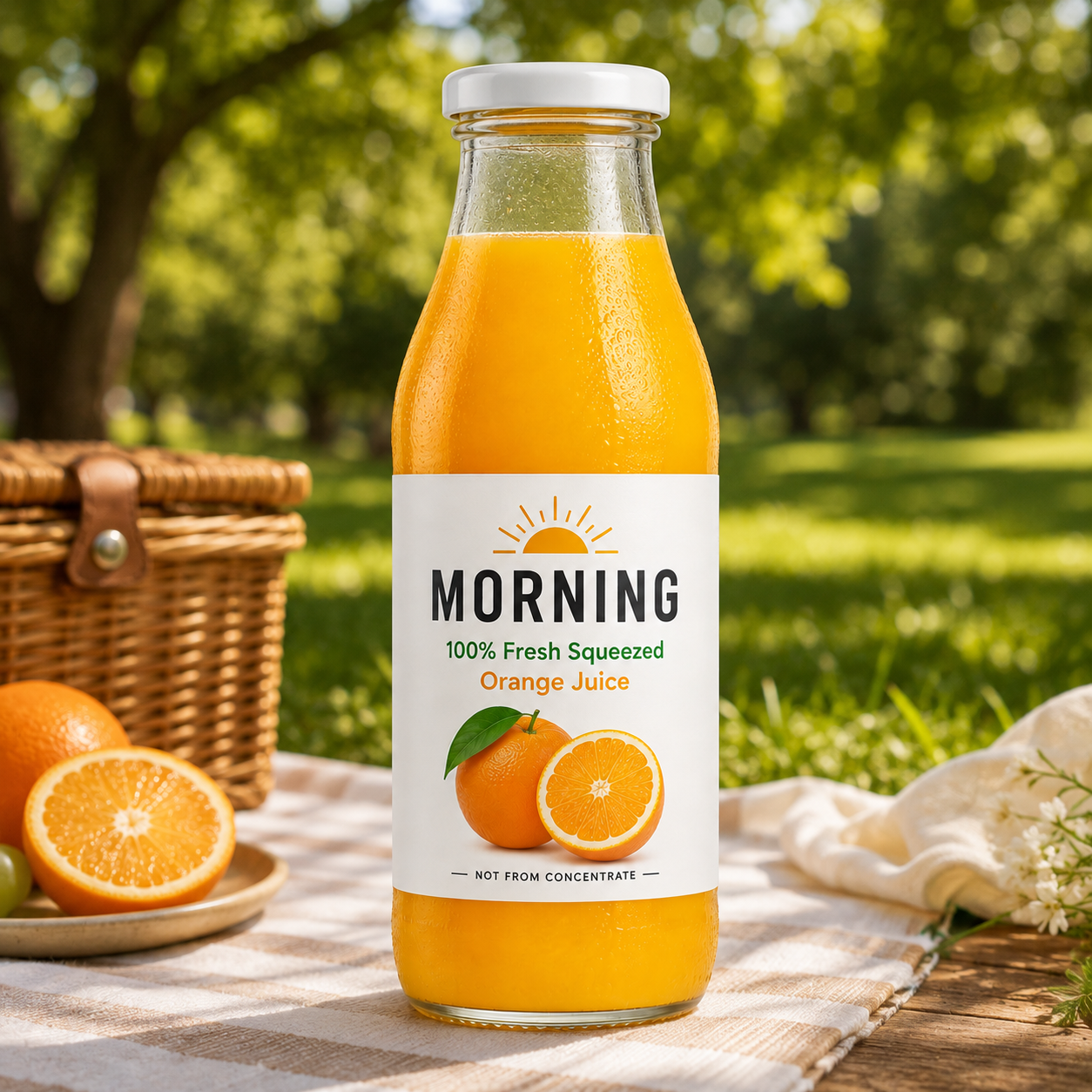
Base image: a beverage product photo — a glass bottle with a label reading "MORNING" and "100% Fresh Squeezed Orange Juice", plain white studio background, soft top lighting, product centered and facing forward. Edit instruction: replace the background with an outdoor picnic scene (grass, a wooden picnic blanket, dappled sunlight through leaves), keeping the bottle's shape, label text, angle, and product lighting unchanged — only adjust the background environment and overall ambient light.
What to compare: run the same edit instruction through Qwen-Image-3.0's Edit version and Nano Banana 2's conversational editing, then compare whether the brand name and label text stay sharp and undistorted after the background swap on each, whether the product lighting matches the new background, plus how fast each edit feels.
5 Real Use Cases: Which One to Pick
| Use Case | Recommended Model | Why |
|---|---|---|
| Chinese / multilingual e-commerce posters | Qwen-Image-3.0 | High dense-text accuracy, generate directly on this site |
| Infographics, presentation graphics, spec sheets | Qwen-Image-3.0 | Long-prompt support, precise layout control |
| Comic panels, ad series, recurring mascots | Nano Banana 2 | Multi-character consistency is an explicit official spec |
| Imagery that needs real-time information lookup | Nano Banana 2 | Backed by Gemini's live search grounding |
| Batch automation, production pipeline integration | Nano Banana 2 | Already has an open, stable standard API |
Pros and Cons at a Glance
| Qwen-Image-3.0 | Nano Banana 2 | |
|---|---|---|
| Dense text / multilingual layout | ★★★★★ | ★★★★☆ |
| Photorealism | ★★★★☆ | ★★★★★ |
| Multi-character consistency | Not officially emphasized | ★★★★★ (up to 5 characters + 14 objects) |
| Generation speed | Standard | Faster, Flash-optimized architecture |
| API availability | Invite-only beta | Open, supports 4K + search grounding |
| Free access | Free trial on this site | Free as the default model in the Gemini App |
| Known limitation | API not yet fully open | Occasional blur on small text, SynthID watermark on output |
Pricing: Which Fits Your Budget
Qwen-Image-3.0:
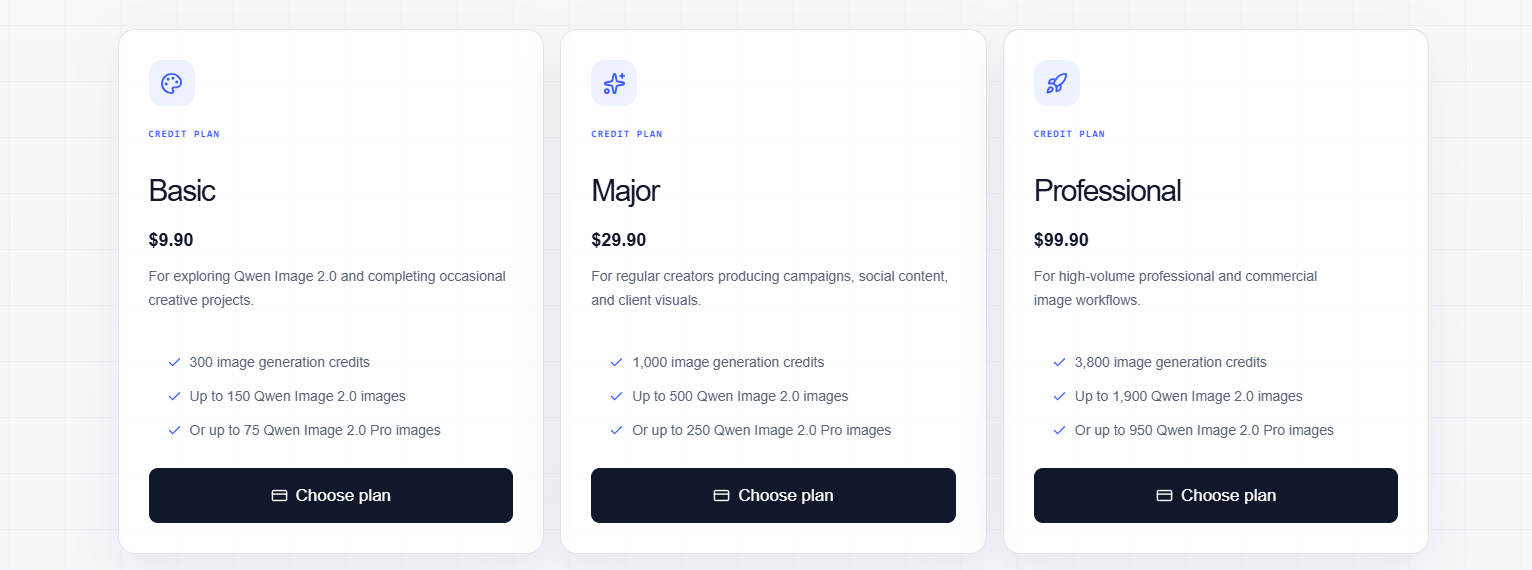
This site runs on a credit system. Your first generation is free to try — no signup needed. Purchase credits when you're ready to generate and download in high resolution; credits don't expire.
Nano Banana 2 (for reference):
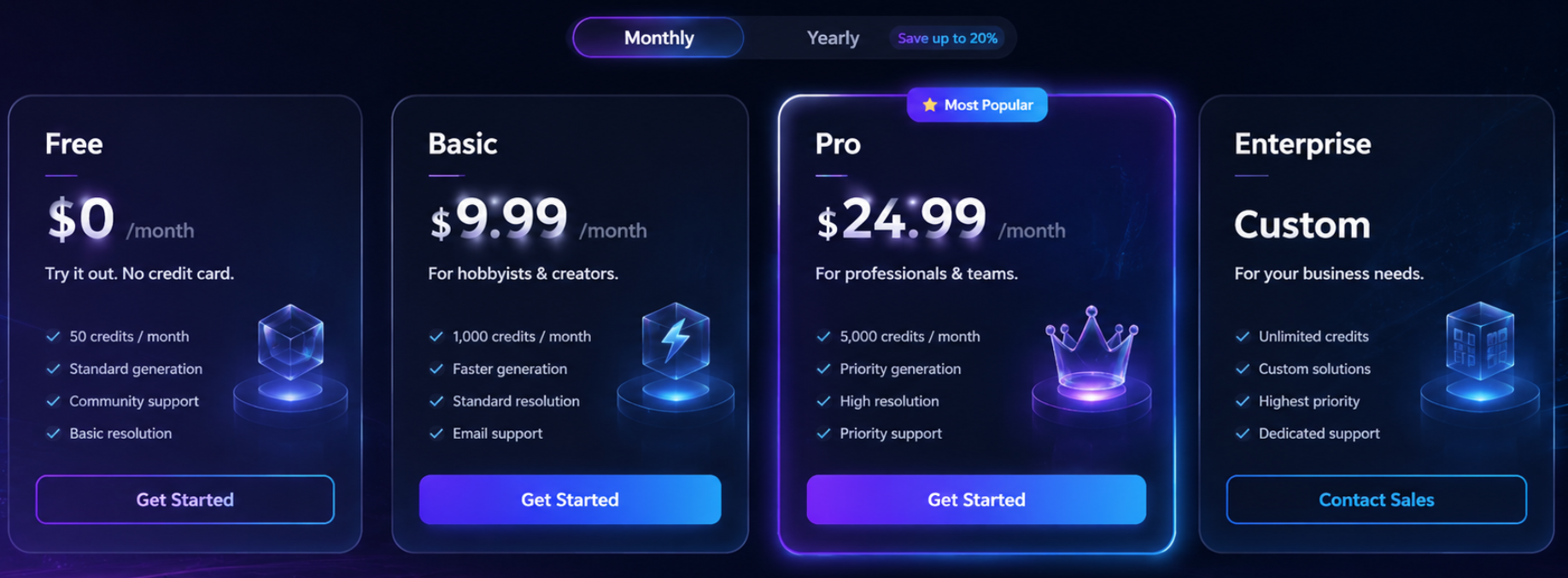
Free to use as the default model in the Gemini App for individual users. Developers calling the official API pay roughly $0.045 to $0.151 per image depending on resolution, with batch discounts available.
Frequently Asked Questions
Q1: Which is better, Qwen-Image-3.0 or Nano Banana 2?
It depends on the task. Text-heavy, layout-precise commercial assets favor Qwen-Image-3.0; multi-character consistency, real-time search grounding, or batch API production favor Nano Banana 2.
Q2: Is Nano Banana 2 the same as Nano Banana Pro?
No. Nano Banana Pro launched earlier (November 2025) and targets the highest-end, most complex professional tasks — slower and pricier. Nano Banana 2 (February 2026) is the generalist "Pro quality at Flash speed" workhorse model.
Q3: Which model is better for comics or a recurring mascot?
Nano Banana 2 — it has an explicit official spec for maintaining consistency across up to 5 characters and 14 objects in a single generation.
Q4: Is Qwen-Image-3.0 free?
This site offers a free trial generation. High-resolution downloads require credits — see the pricing page.
Q5: What's this site's relationship to Alibaba or Google?
This site is an independent third-party tool built around the Qwen-Image-3.0 model. It's not affiliated with, endorsed by, or officially certified by Alibaba, the Qwen team, Google, or the Gemini team.
Q6: What if I need both capabilities?
Split by task type: route text-heavy, structured assets to Qwen-Image-3.0 (generate directly on this site), and route anything needing character consistency or search-grounded imagery to Nano Banana 2 (via the Gemini App).
Q7: Can I use the generated text commercially right away?
Both models have improved text rendering significantly, but anything with critical text — prices, dates, legal copy — should still be proofread after generation to catch individual character errors before it goes live.
Try It Now
If you've worked through the three questions above and landed on "text-heavy, structured content" as your main need, don't overthink it — generate your first image on this site and see if Qwen-Image-3.0 meets the bar.
Generate your first Qwen Image 3.0 image free on this siteNote: Release dates, specs, and test data referenced in this article come from publicly available sources. AI image generation is a fast-moving field — always verify current capabilities against your own generation results.